

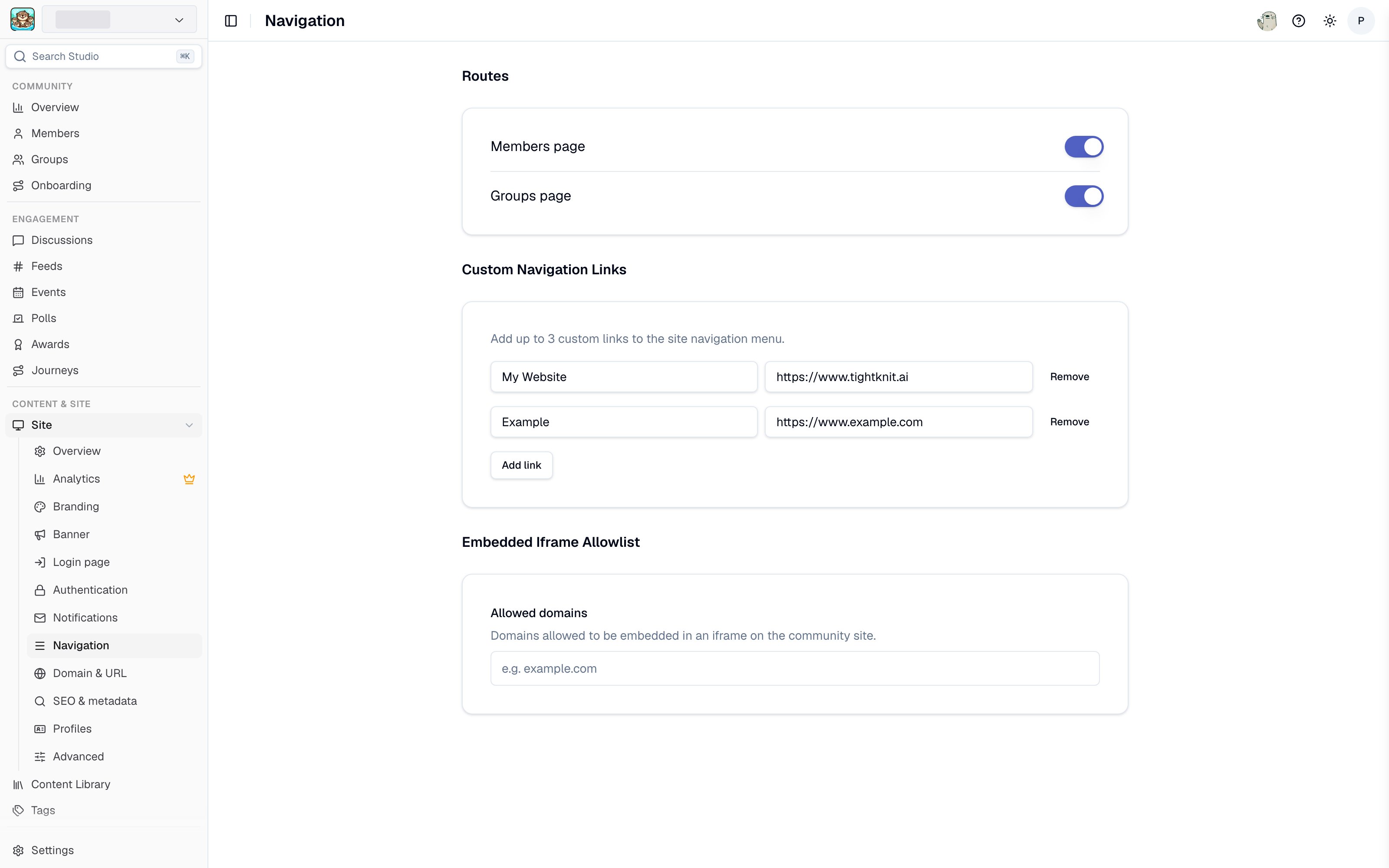
Navigation settings in Studio
Pages
Turn pages on or off in the Pages section. A page that’s off can’t be visited and shows no data.
The Groups page and Resources page require a plan that includes Groups or Content Resources. If your plan no longer includes one of them, you can still turn its page off.
Custom navigation links
Custom navigation links are in beta.
- External link — Opens the URL in a new tab.
- Embedded page — Shows the URL in an iframe on a page of your own site, at
https://<your-site>/p/<page-url>. Enter the path in Page URL. Each page URL must be unique.
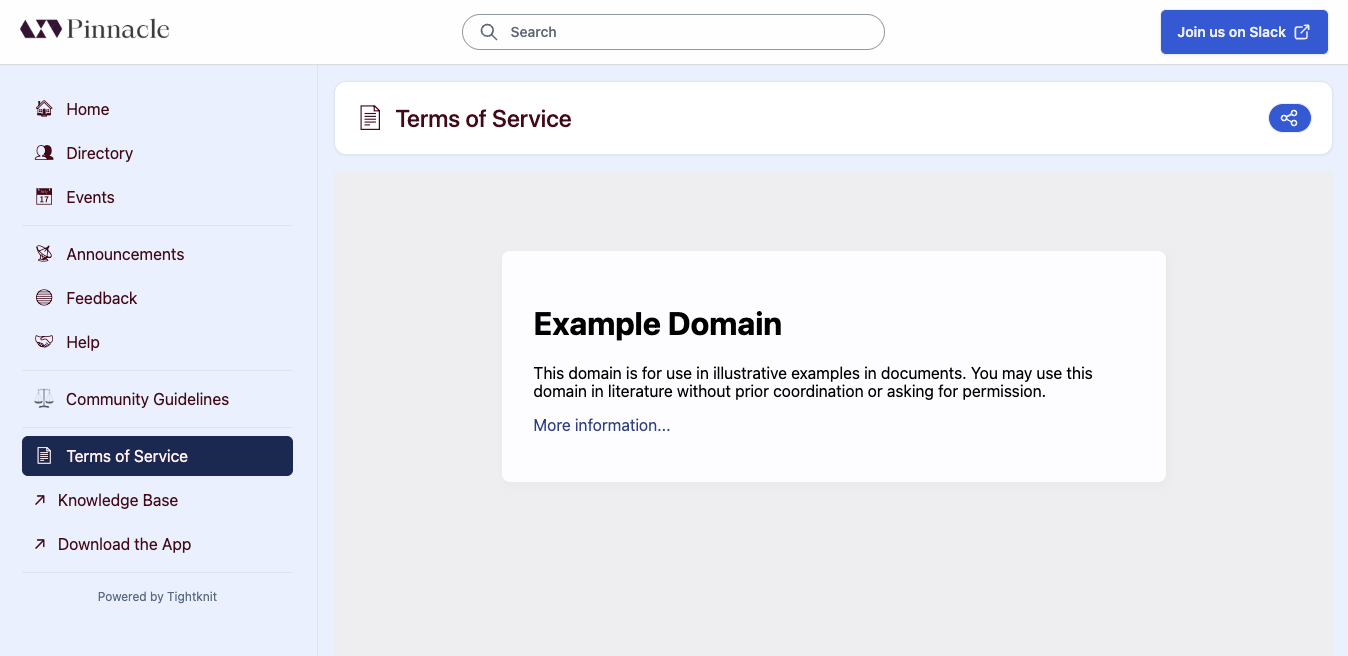
Internal embedded page on the community site
Set up an embedded page
Embedded pages load another website inside an iframe, so both sites must allow it. If an embedded page is blank or partly loads, check these two requirements.1
Allow the target website to be embedded
The website you embed must allow your community site to frame it, using the Ask the administrator of that website which setting fits their setup.
frame-ancestors directive of its Content-Security-Policy header, or the older X-Frame-Options header. For example:2
Allow the domains the embedded page uses
Add every other domain the embedded page loads or links to, such as an image host, under Allowed Embed Domains > Allowed domains. Domains that aren’t listed fail to load inside the iframe. Tightknit adds your community site and the domain of each embedded page URL automatically.You can use a wildcard within a domain, such as
https://*.my-site.com, or * on its own to allow every domain.