

Accessing the Studio
To access the Studio, click theOpen Studio button from the Slack app home or visit https://studio.tightknit.ai.
Requirements
- The Tightknit app must be installed in your workspace
- You must be on an active Tightknit plan
- You must be an admin of your Slack workspace or be invited to the Studio by an admin
Getting Access
Users may be added to their organization’s Studio workspace in one of the following ways:- The user that first installs the Tightknit app into the Slack workspace is automatically added to the Studio workspace, as long as they are an admin and meet the requirements above.
- When admin users visit the Tightknit app home in Slack, they are automatically added to the Studio workspace.
- Slack workspace admins can sign in to the Studio directly, using the email address their Slack account uses. Tightknit confirms with Slack that they are still an admin and adds them to the Studio workspace. If an admin belongs to more than one Tightknit workspace, they may choose which one to open.
- In the Settings > Workspace, the organization admin may invite users to join the workspace via email.
If your community is connected to a Slack workspace, invited users must also be members of that Slack workspace in order to access the Studio. Adding a user via the Settings > Workspace page alone is not sufficient. They will need to join the connected Slack workspace first.
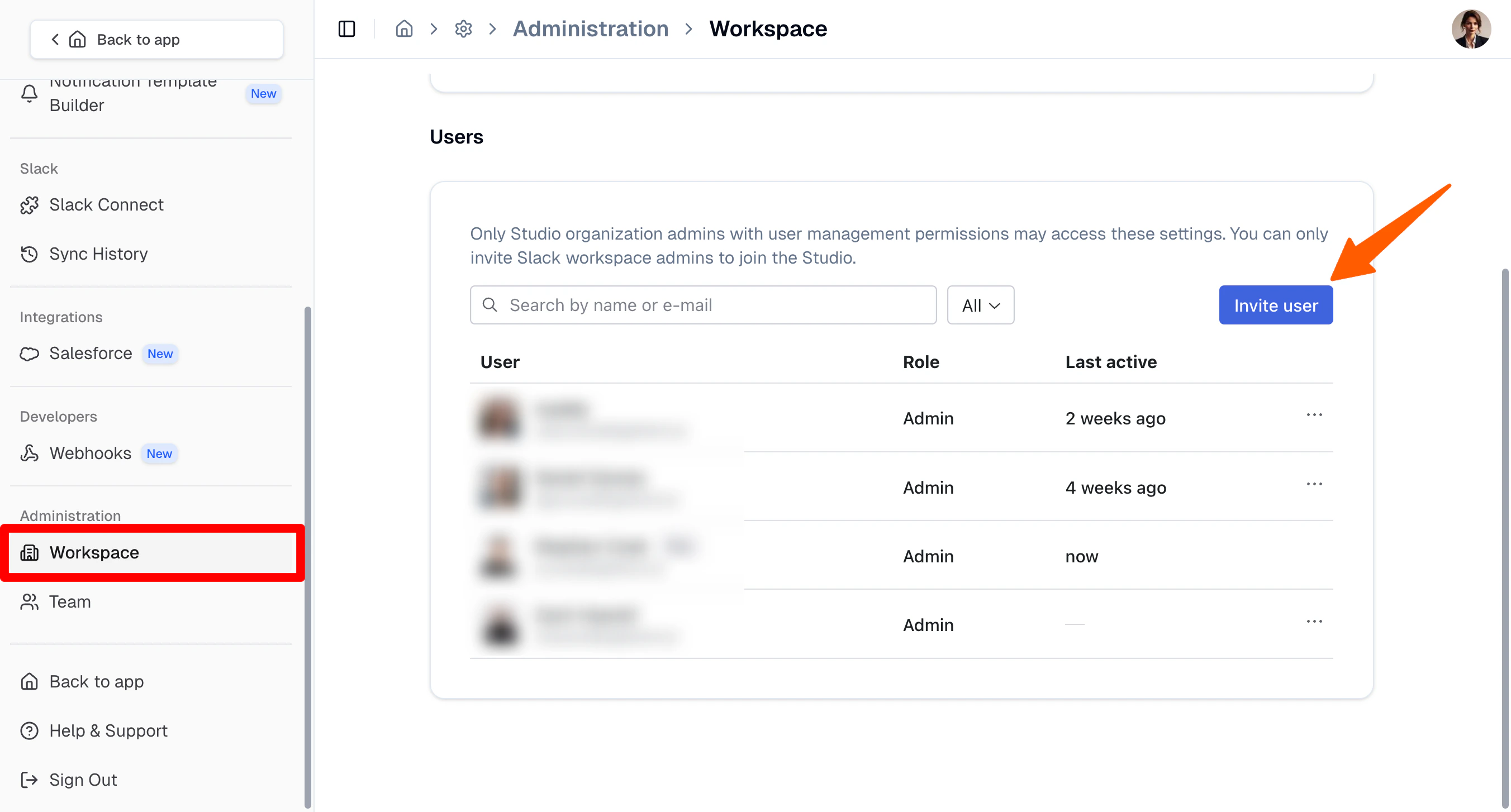
Workspace Users settings for managing Studio access