

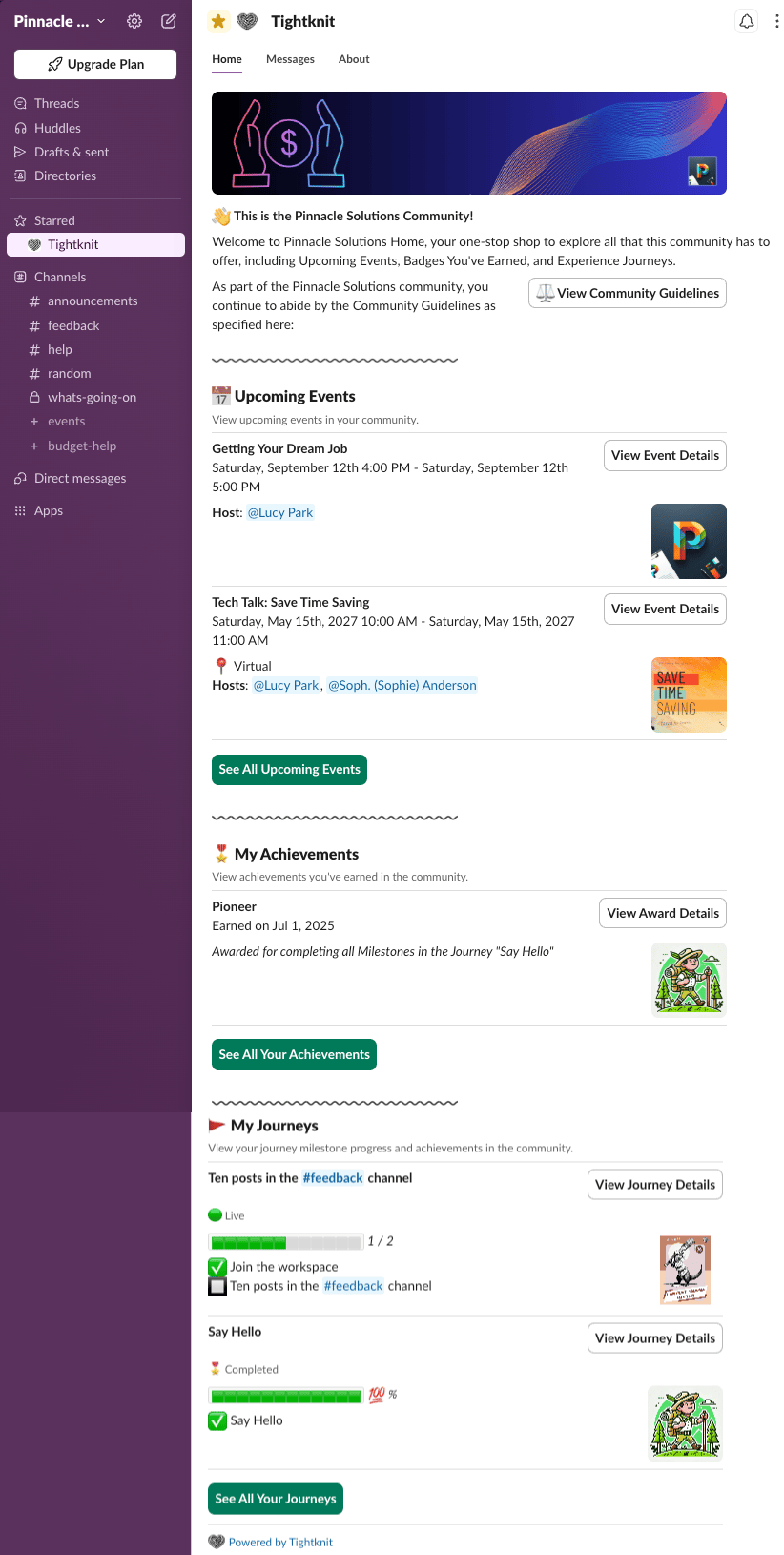
The Community Home is the experience that non-admin users see when they visit the Tightknit app in Slack. It serves as the central hub for community members to stay informed and engaged with everything happening in your community.
Community Home showing community info, upcoming events, achievements, and journeys

What’s Included

Community Info

At the top, members see a welcome banner with your community name, a brief description, and a link to view your Community Guidelines.

Upcoming Events

A list of upcoming community events, including the event title, date, time, location, and hosts. Members can click View Event Details to learn more about each event, or See All Upcoming Events to browse the full list.

My Achievements

Members can view achievements they have earned in the community. Each achievement displays the name, date earned, and a description of how it was earned. Click View Award Details for more information, or See All Your Achievements to browse all earned awards.

My Journeys

A personalized view of the member’s progress through community journeys. Each journey shows the current milestone progress and completion status. Members can click View Journey Details to see the full journey breakdown, or See All Your Journeys to browse all available journeys.
Admins see the admin settings view by default. To preview the Community Home as a member would see it, click the View as Member button in the admin home.