
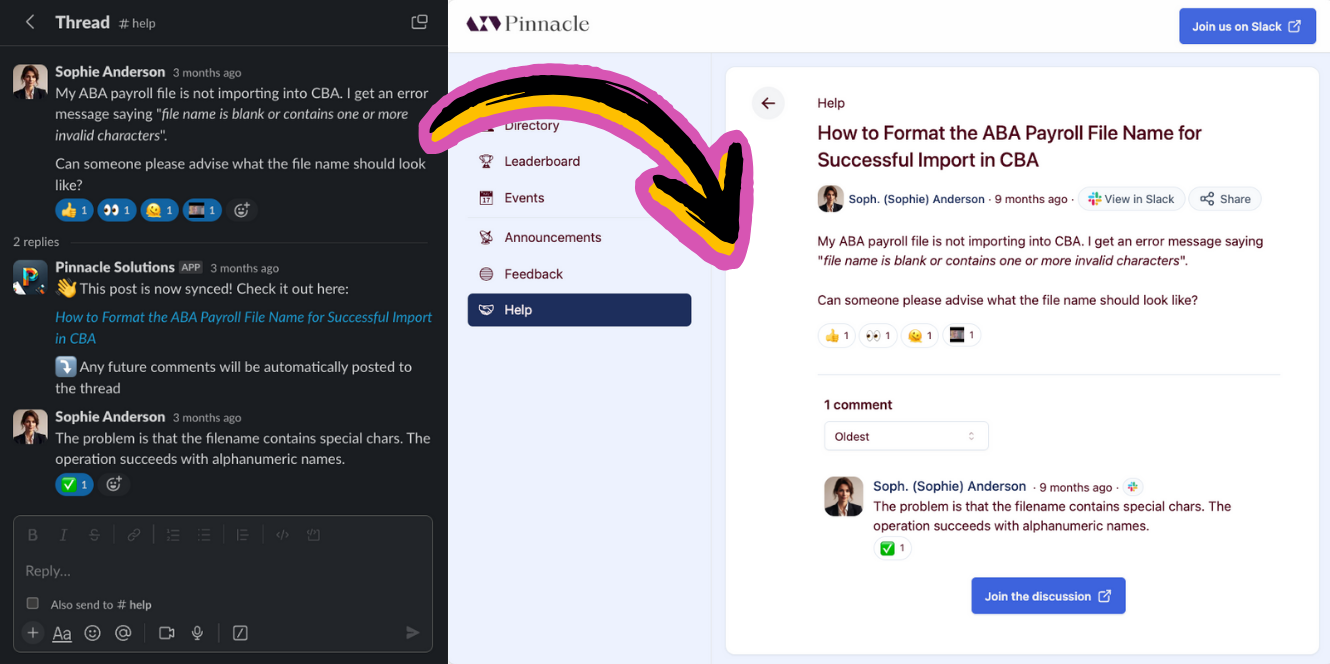
When an emoji reaction is added to or removed from a Slack message synced by Tightknit, it will automatically sync emoji reactions, including custom emojis, to the corresponding post or comment in the Tightknit community site.
Emoji reactions synced between Slack and the community site

Emoji reactions synced between Slack and the community site

Mark answers with reactions

In a feed with Selected answers turned on, the thread’s author or a community admin can mark a reply in a Slack thread as an answer by reacting to it. Reactions from other members don’t change answers.
  • ✅ (:white_check_mark:) marks the reply as an answer.
  • ⭐ (:star:) marks the reply as the thread’s best answer.
Removing a ✅ unmarks the reply once neither the thread’s author nor an admin still has a ✅ on it. Removing a ⭐ works the same way, but the reply stays an answer and is just no longer the best one. Each time your reaction changes an answer, you get a confirmation in the thread that only you can see. Removing a ✅ from the best answer changes nothing. To unmark the best answer, remove the ⭐ first, then the ✅. If the ✅ is already gone, add it and remove it again. A thread can have up to 5 answers. To turn on Selected answers, go to Feeds in Studio, open the feed, and click Edit.