How to Access Shortcuts in Slack
Open Message Menu
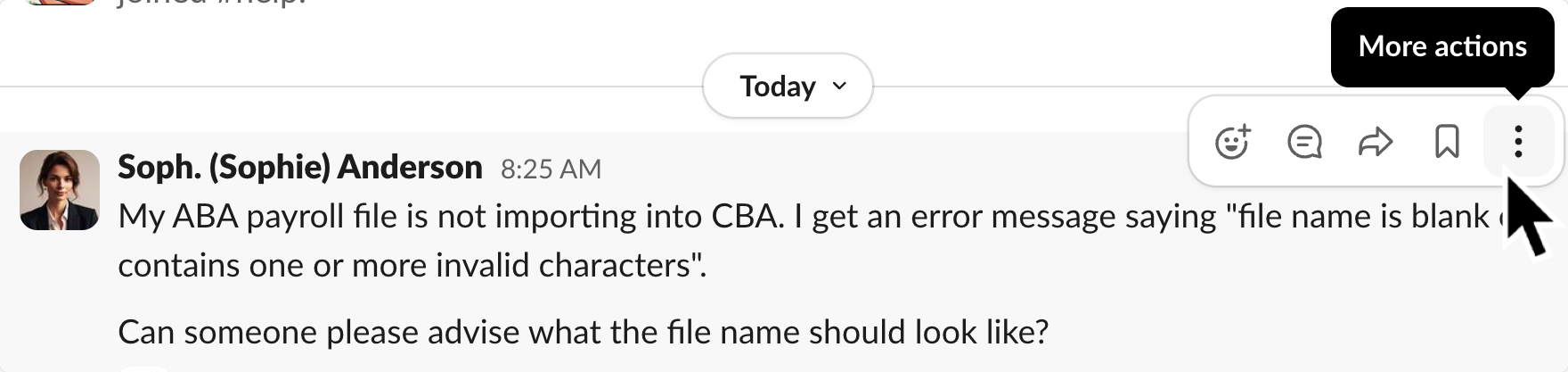
Desktop: Hover over the message, and click the three dots icon 
Mobile: Tap and hold the message
โฎ.
Find Tightknit Shortcuts
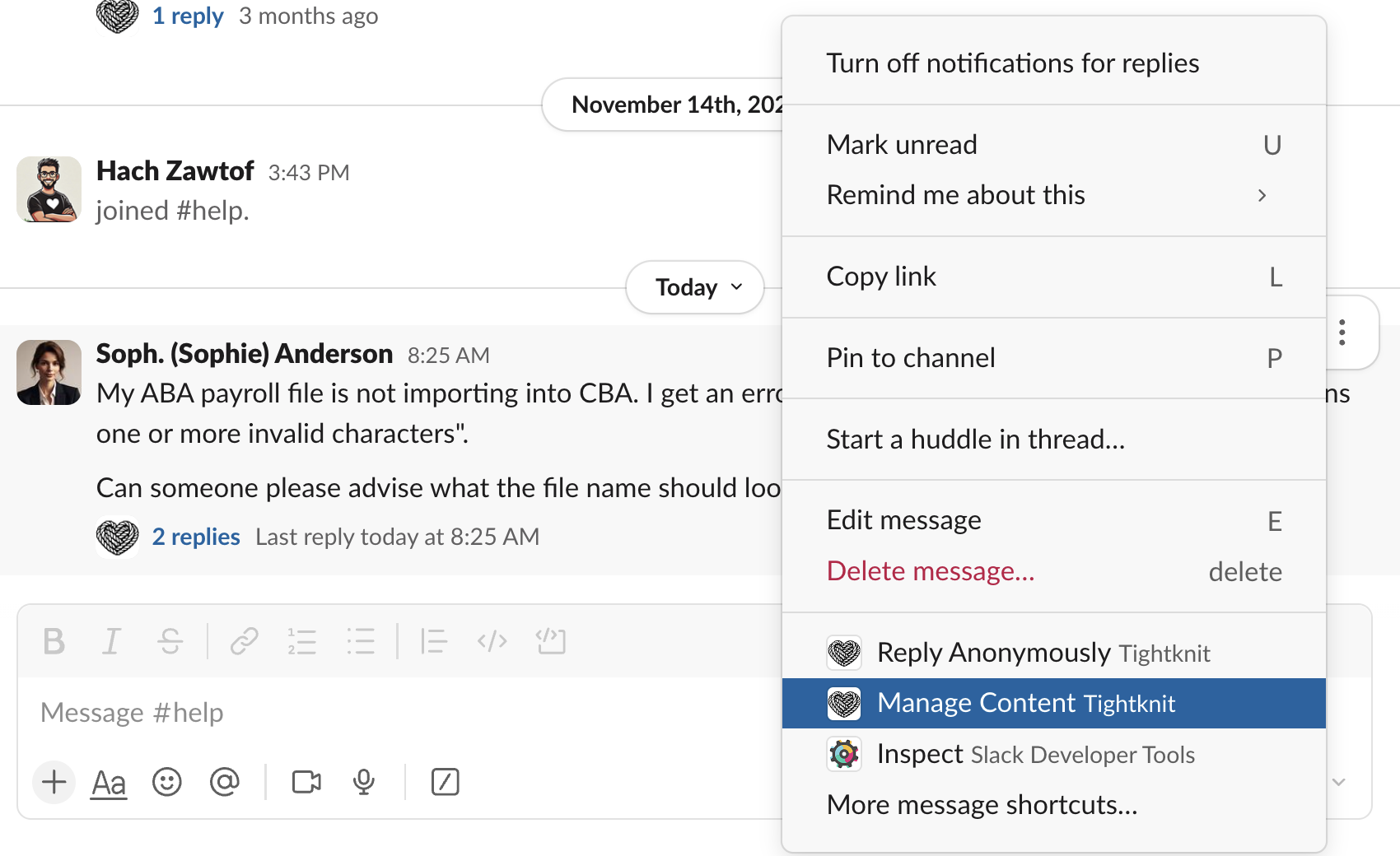
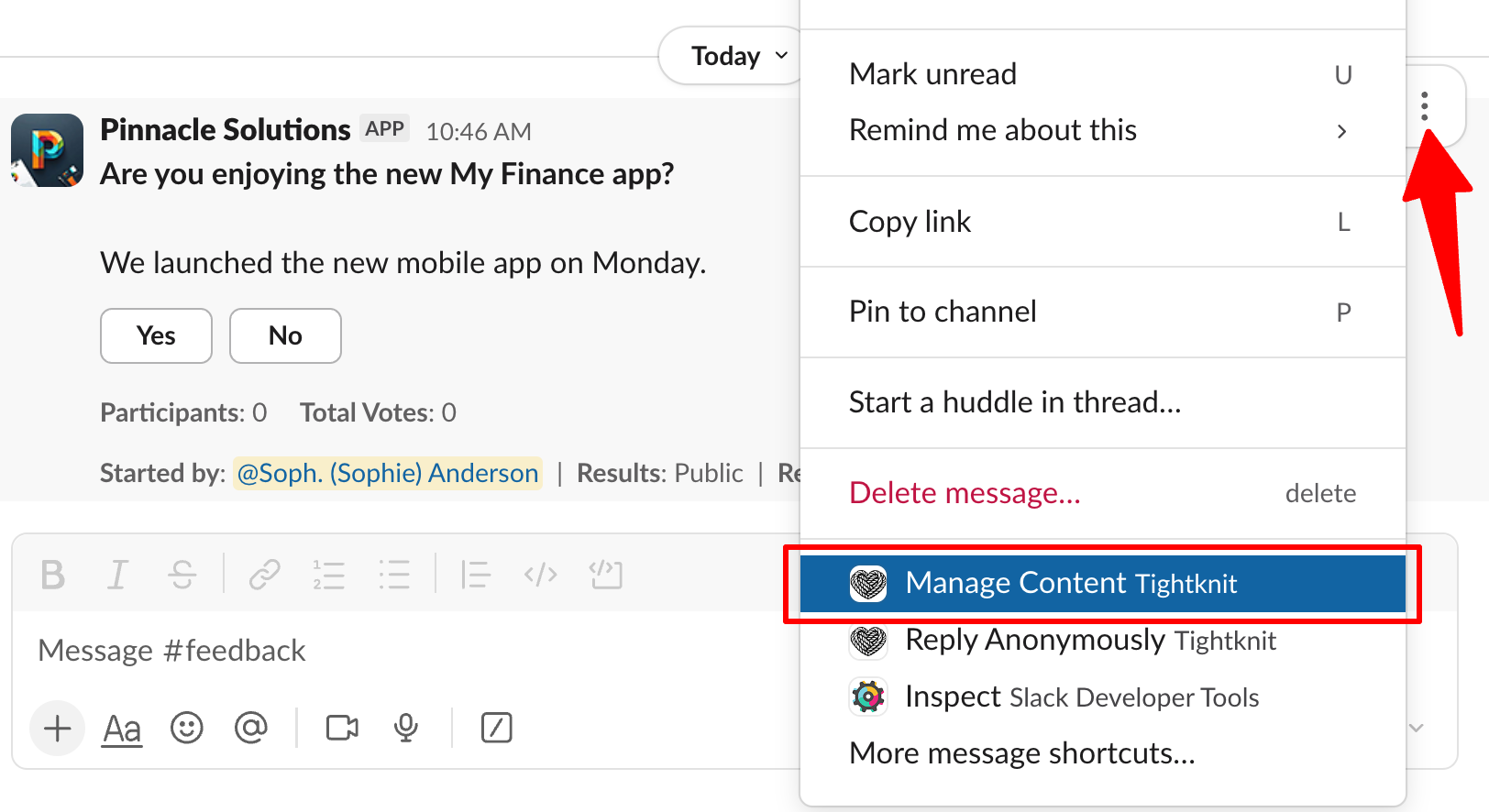
The app shortcuts will be at the bottom of the menu. Find the options that have the Tightknit name and logo.
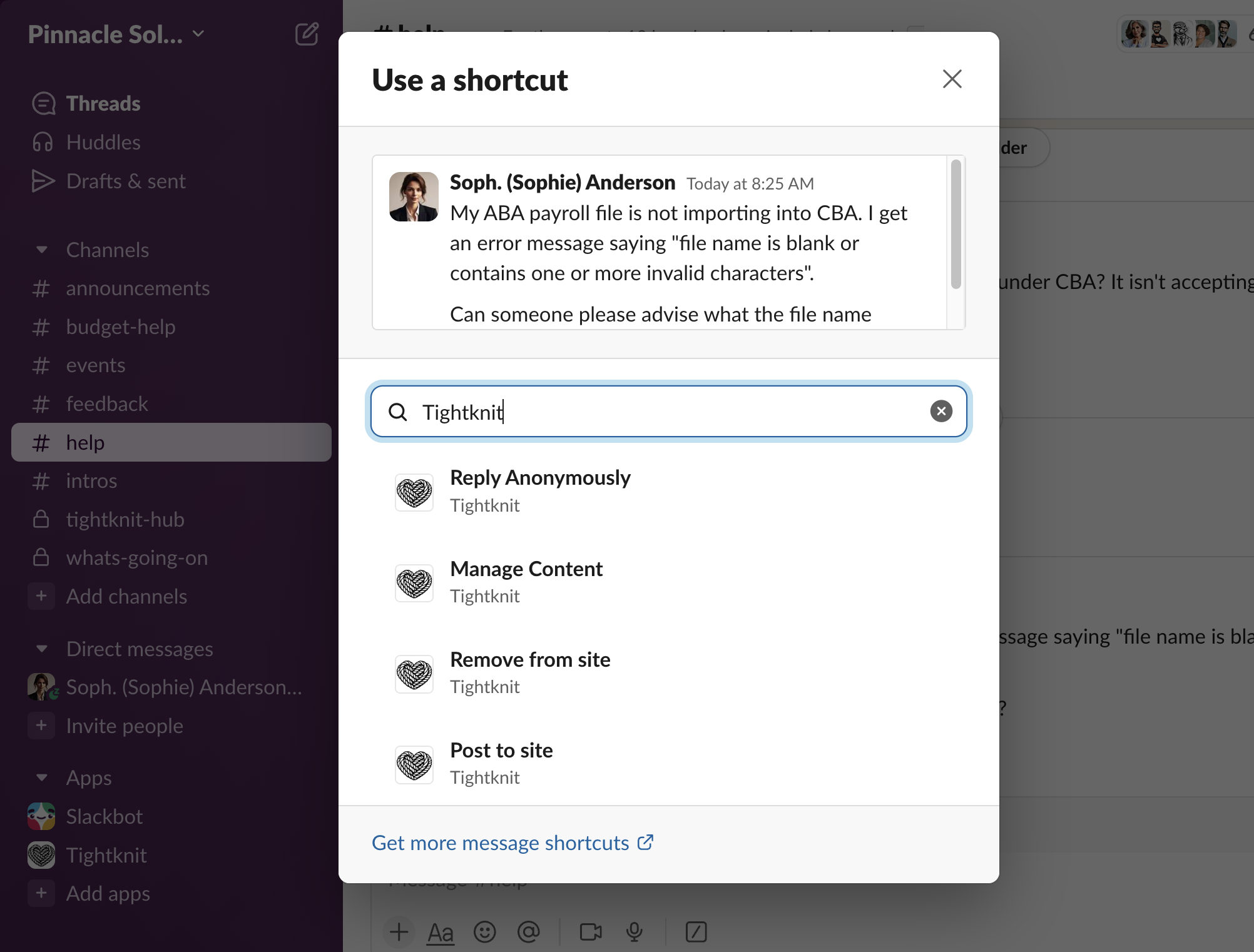
If you donโt see any Tightknit options, click 

More message shortcuts... and then search for โTightknitโ or the name of the shortcut.
You cannot use shortcuts on ephemeral messages.
Tightknit Shortcuts
| Name | Description | Where can I use it? | Who can use it? |
|---|---|---|---|
| Post to site | Syncs a message to the Tightknit companion site. When used on a top-level message, syncs the entire thread including the post, any comments, file attachments, emojis, etc. When used on a reply, syncs that comment to the site (if the parent post is already published). Has no effect on already synced content. | Slack message (Post or Reply) | Admin |
| Manage Content | Multi-purpose menu for managing Tightknit content associated with the Slack message. | Slack message | Dependent on the content |
| Reply Anonymously | Sends an anonymous reply to a thread. | Any Slack message in a channel with anonymous messages enabled | All users |
| Admin Experimental | Launches a menu of actions for an admin user to run a localized test. These actions are often a chance for admins to test out new Tightknit features in private, such as using AI to find related discussions. The results will only be visible to you. | Any Slack message in a channel with Tightknit | Admin, the Event creator, or an Event host with the permission to manage events |

Manage Content Shortcut
TheManage Shortcut menu is a context-dependent menu that provides different actions based on the type of content associated with the Slack message.

| Content Type | Actions | Who can use it? |
|---|---|---|
| Post | โข Sync thread to the site โข Remove thread from site โข Edit post title and slug | Admin, or the author of the post |
| Comment | โข Sync thread to the site โข Publish comment to site โข Remove comment from site โข Remove thread from site โข Edit post title and slug | Admin, or the author of the comment |
| Event (announcement message) | โข Opens the Edit Event modal | Admin, or owner of the event |
| Poll | โข Edit the poll โข Close the poll โข Delete the poll | Admin, or owner of the poll |