

Update an Existing Feed
- In Studio
- In Slack
Go to Feeds under Engagement, open the feed, and click Edit. The form carries the same fields as feed creation.The feed’s page also has AI & Agent Settings and Engagement settings, which configure the AI prompts and agents and engagement features on its Slack channel.To jump to a different feed, click the feed’s name in the page header and pick one from the searchable list.
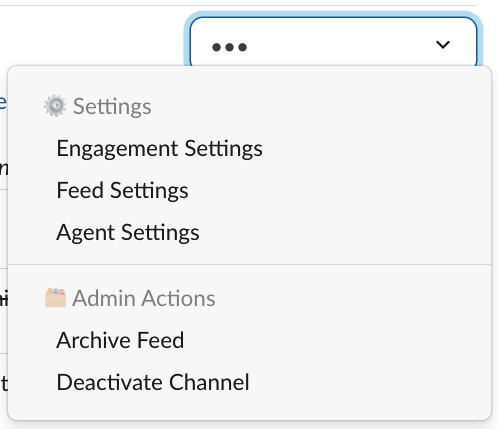
Feed Settings option in the overflow menu
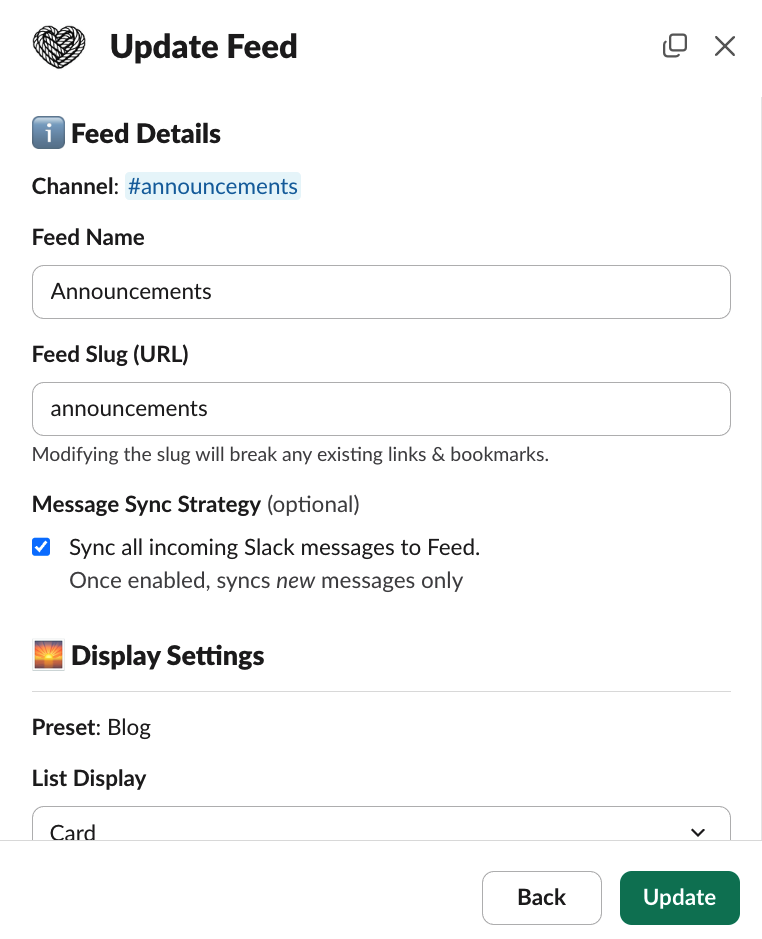
Update Feed modal
Managing Feed members
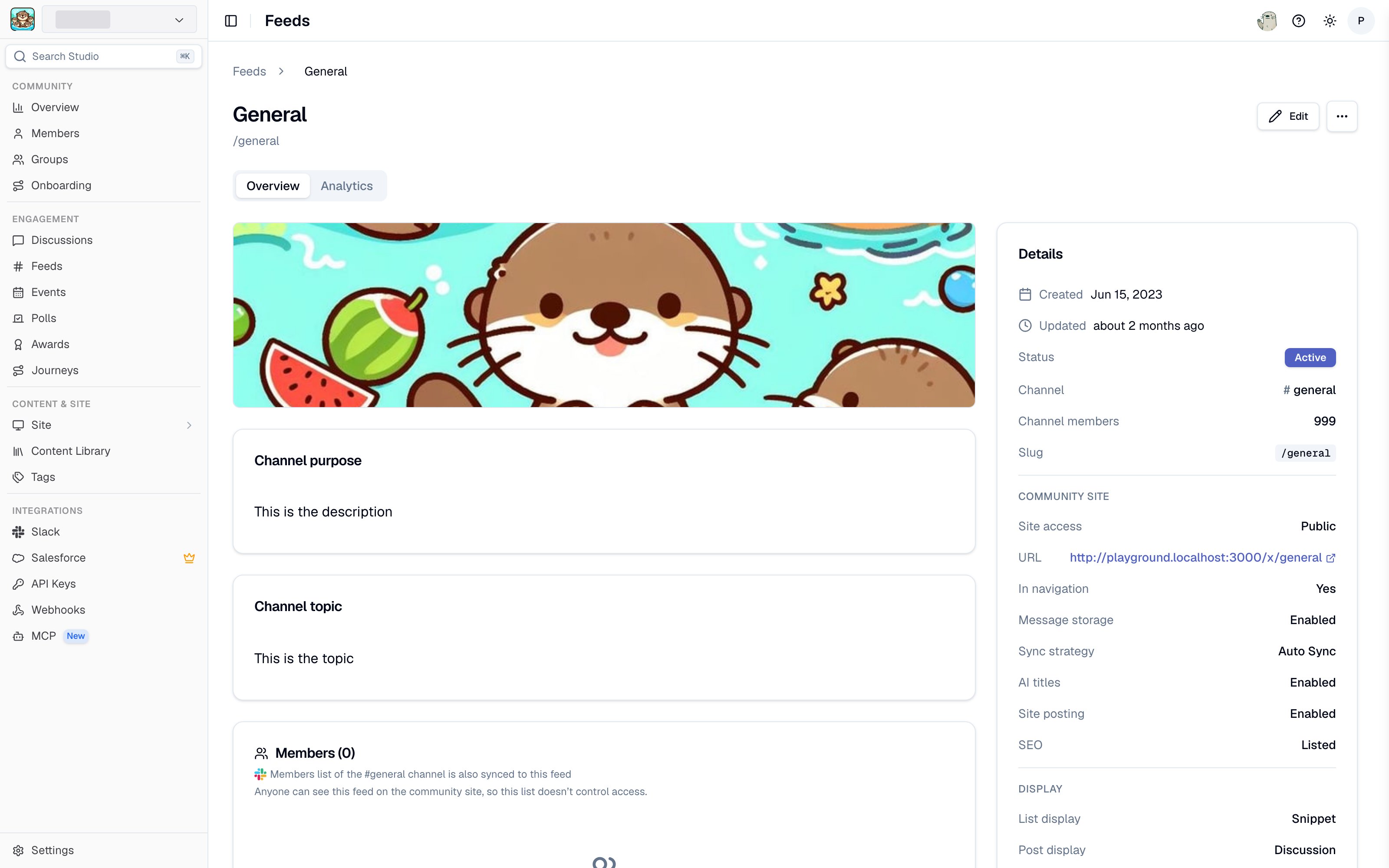
A feed detail page in Studio
Viewing Feed members
Open a Feed’s detail page in Studio by clicking its name in the Channels & Feeds list. The Members card shows the current member list for the Feed.Adding members
- Click Add Members on the Feed’s Members card.
- Search for community members by name or email.
- Select the members you want to add and confirm.
Removing members
Use the overflow menu on a member row in the Members card to remove them from the Feed.Archive Feed
Archived Feeds are no longer active and stop syncing content from Slack to the community site. They do not count towards your active Feeds limit. You can only unarchive a Feed if you are within that limit.- In Studio
- In Slack
Go to Feeds, open the feed, and choose Archive feed from its actions menu. Archived feeds offer Unarchive feed in the same place.
The archive/unarchive activity of a Slack channel does not affect the
connected Tightknit Feed. Deleting the Slack channel does not remove the Feed
either: its posts and comments stay on the community site until you archive
it. See When a channel is deleted in Slack.
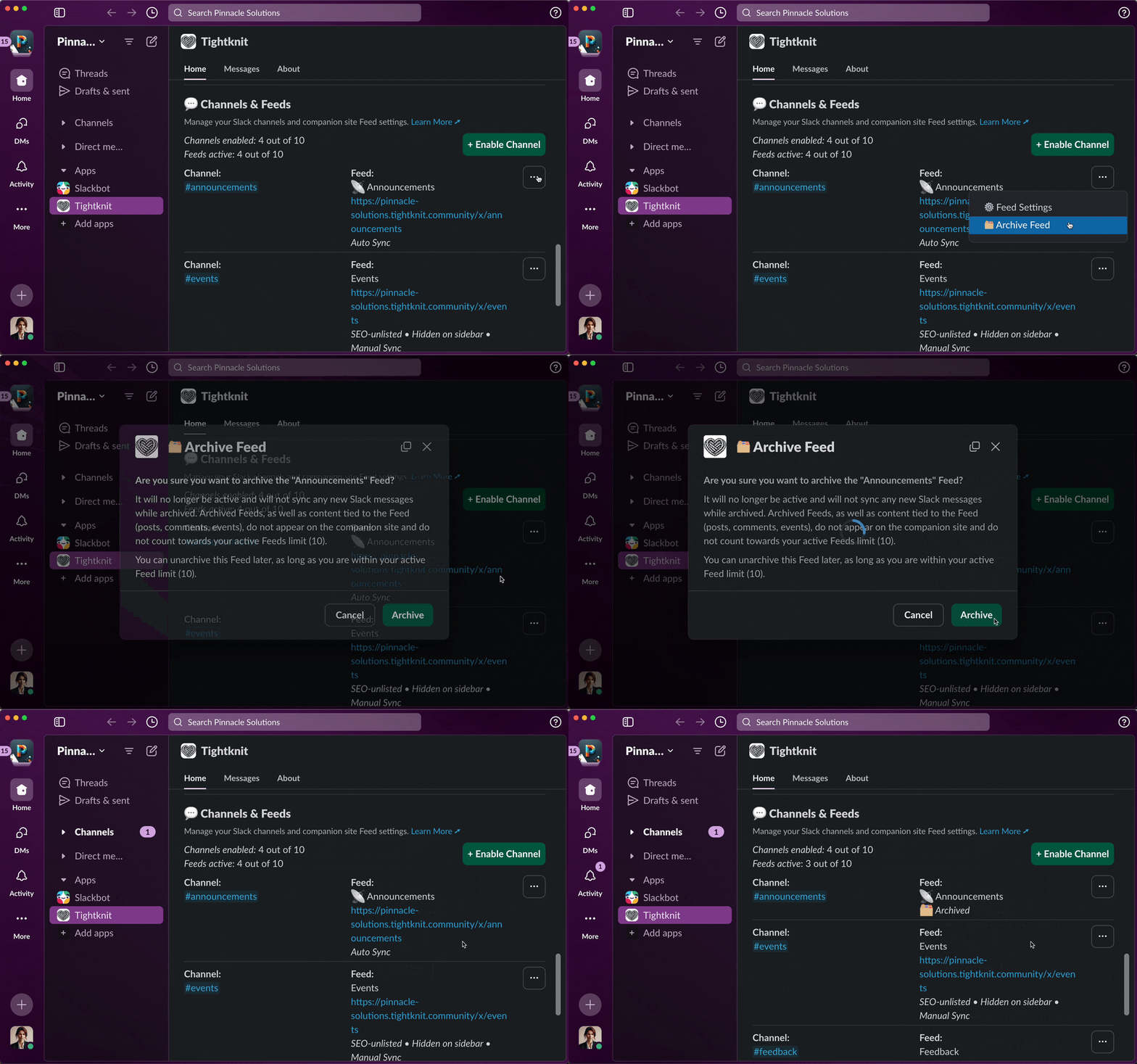
Archiving a Feed