

What You Get
Topic Detection
AI Insights reads your community’s conversations and assigns topics for you. You’ll see a treemap where the size of each topic reflects how regularly it’s being discussed, and the color shows how members feel about it. It’s a quick way to see what your community cares about most, and where you might want to jump in. 🗺️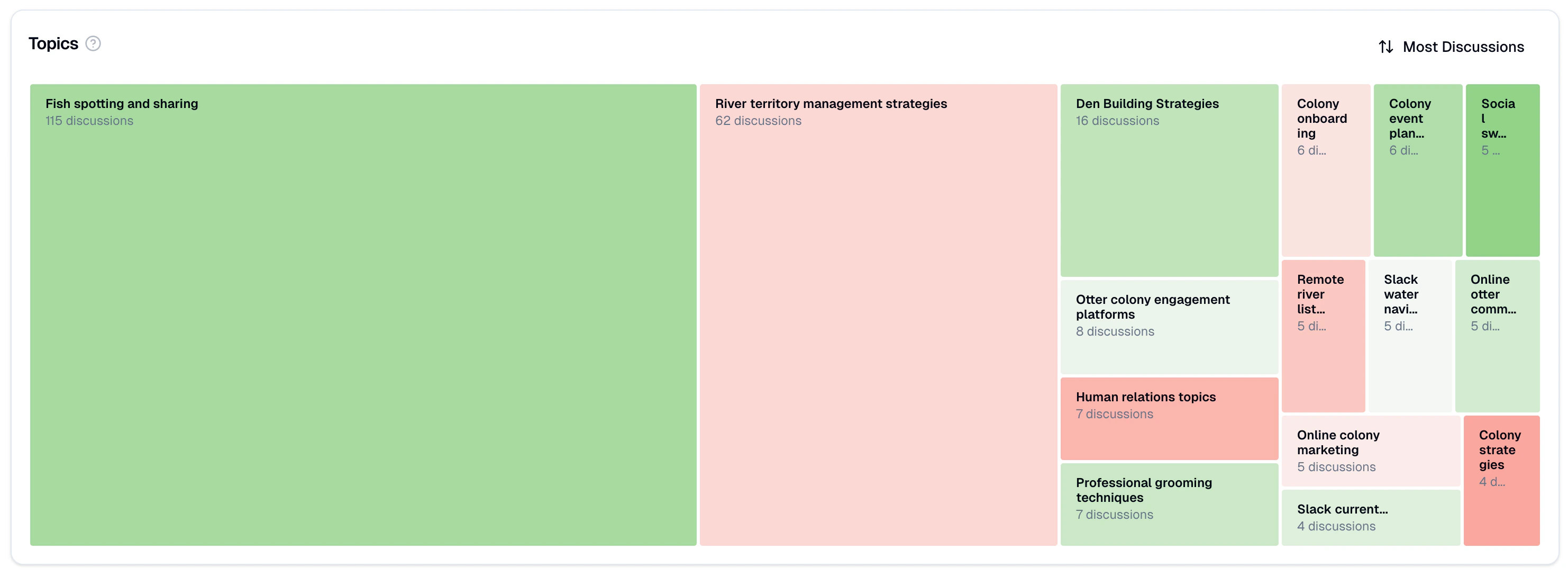
Signals
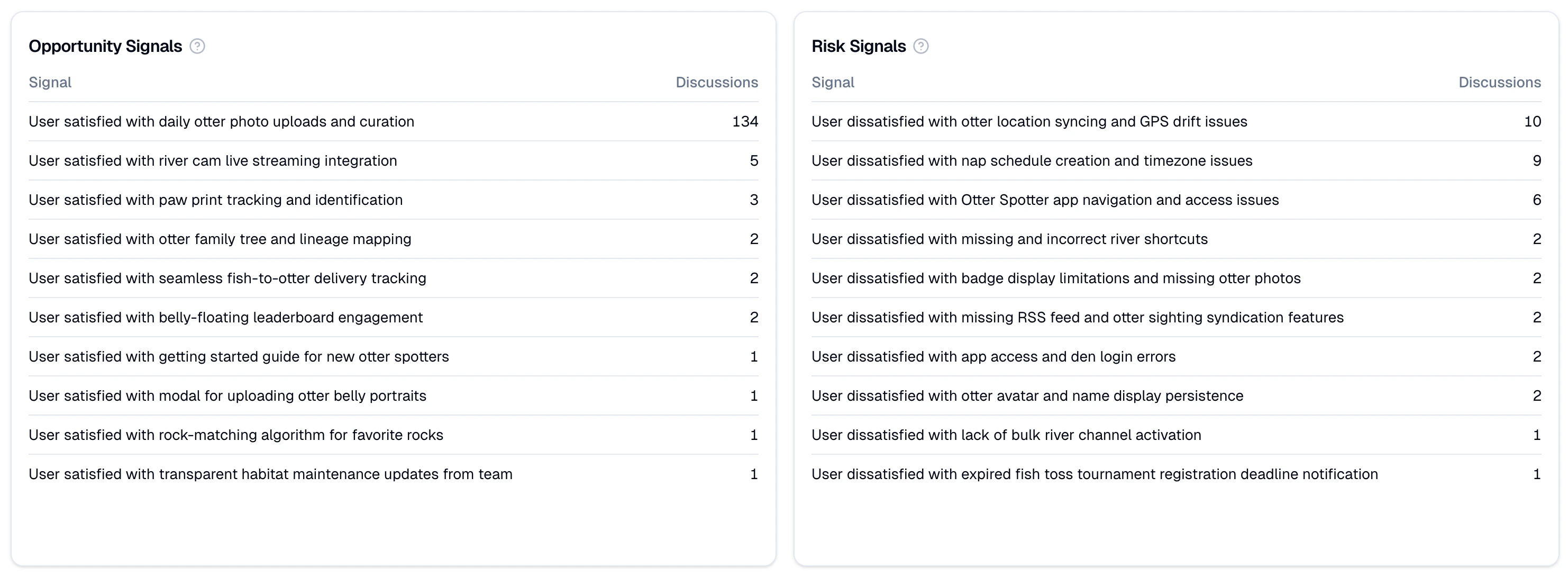
AI Insights also picks up on positive and negative signals across your conversations:- Opportunity Signals: Positive themes where your community is thriving. Think of these as tailwinds you can lean into.
- Risk Signals: Negative themes worth paying attention to before they snowball into bigger issues.
How to Enable
Getting started with AI Insights takes just a few clicks: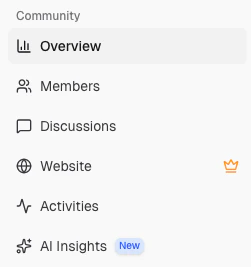
Wait for processing
Your community’s conversation history will begin processing. This typically takes up to 48 hours. Sit tight! ⏳
View your insights
Once processing is complete, your AI Insights dashboard will be ready with topics and satisfaction signals.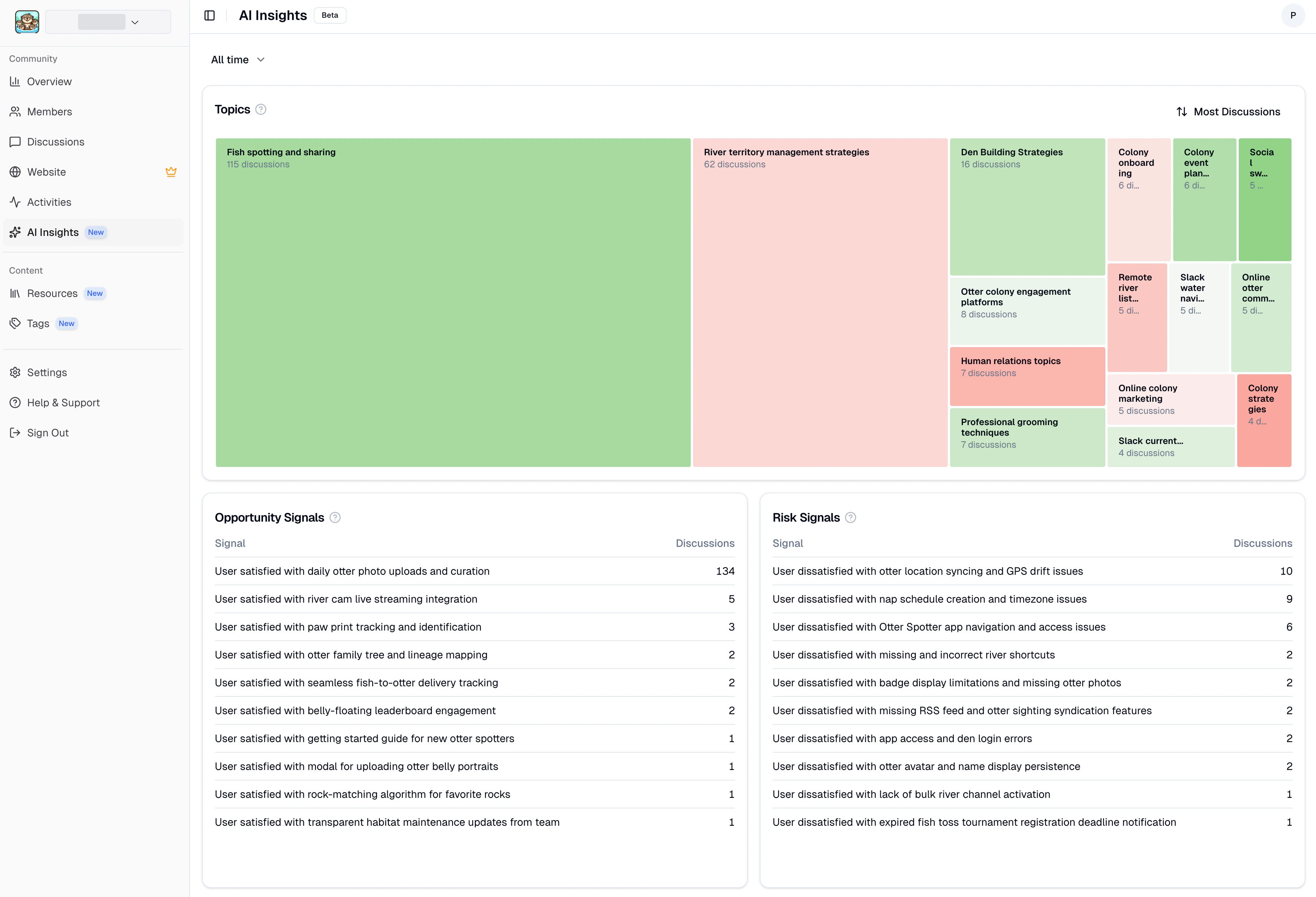
How It Works
Posts and comments from your community are sent to Thunder for analysis. Thunder uses AI models from OpenAI and Anthropic to detect topics and signals. Thunder maintains Zero Data Retention data processing agreements with both OpenAI and Anthropic. Your data is not used for model training, and access is strictly controlled.Thunder
Learn more about Thunder’s conversational analytics platform.