> ## Documentation Index
> Fetch the complete documentation index at: https://docs.tightknit.ai/llms.txt
> Use this file to discover all available pages before exploring further.
# Slash Commands
> Learn to use [Slash Commands](https://slack.com/help/articles/360057554553-Use-shortcuts-to-take-actions-in-Slack) in Slack.
## How to Access Slash Commands in Slack
As the name suggests, slash commands can be accessed simply by typing slash `/` in the chat, followed by the name of the command and the command inputs (if applicable).
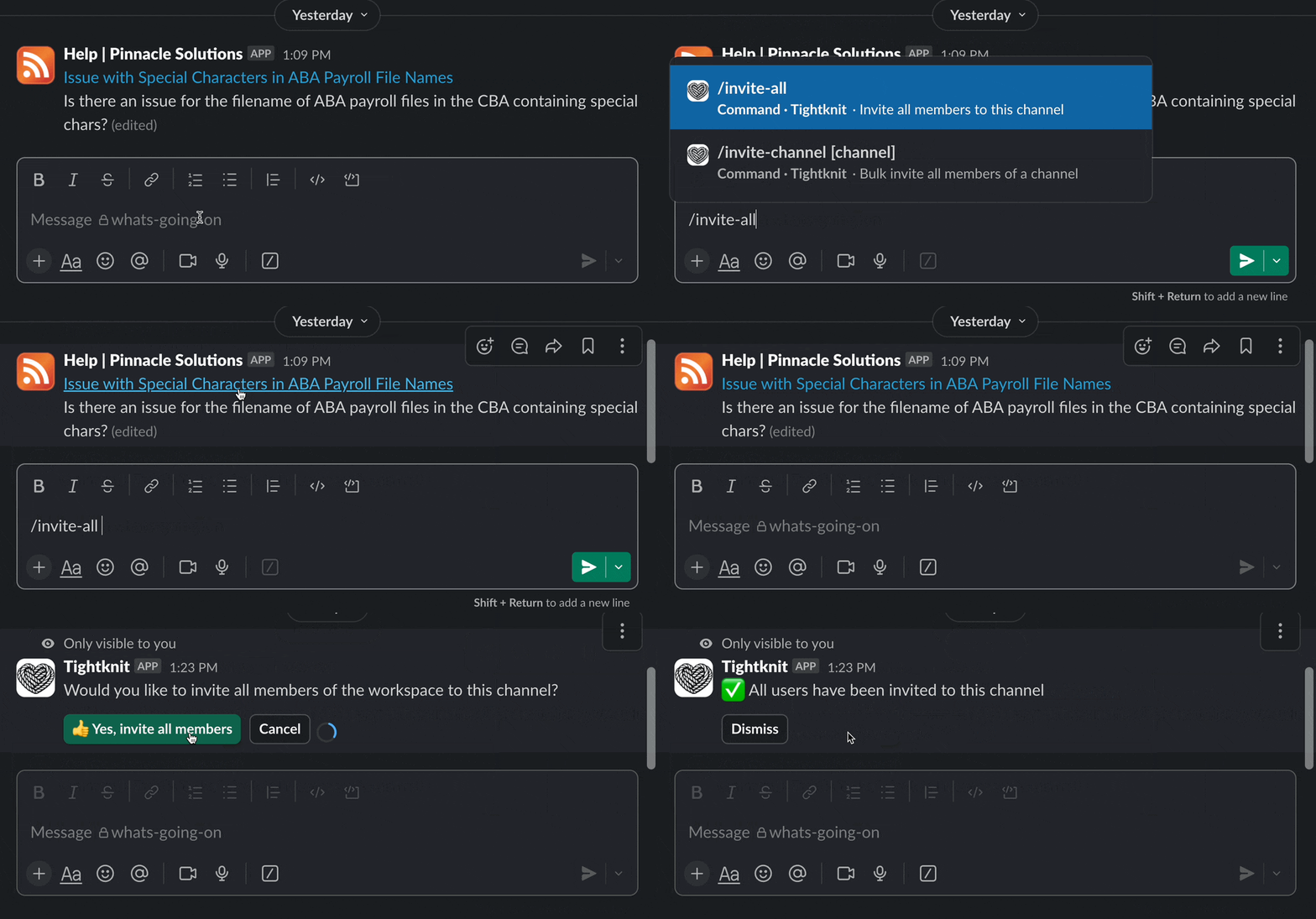 The channel in which you type the command is often relevant to the action, so
take note of where you're typing!
## Tightknit Commands
| **Command** | **Inputs** | **Description** | **Who can use it?** |
| :--------------------------- | :---------------------------------------------- | :-------------------------------------------------------------------------------------------------------------------------------------------------------------------------------------------------------------- | ------------------- |
| `/invite-all` | | Launches the *Channel Inviter* wizard to invite all members in the entire Slack workspace to the current channel. Excludes bot users.
The channel in which you type the command is often relevant to the action, so
take note of where you're typing!
## Tightknit Commands
| **Command** | **Inputs** | **Description** | **Who can use it?** |
| :--------------------------- | :---------------------------------------------- | :-------------------------------------------------------------------------------------------------------------------------------------------------------------------------------------------------------------- | ------------------- |
| `/invite-all` | | Launches the *Channel Inviter* wizard to invite all members in the entire Slack workspace to the current channel. Excludes bot users.
You will be asked for confirmation before the bulk invites are sent. | Admins only |
| `/invite-channel` | (*optional*) the Slack channel, e.g. `#general` | Launches the *Channel Inviter* wizard to invite all members of another Slack channel to the current channel. Excludes bot users.
You will be asked for confirmation before the bulk invites are sent. | Admins only |
| `/anonymous` | (*optional*) the message text | Allows users to send an anonymous message to any channel [with Anonymous Posting enabled](/member-engagement/anonymous-posting#enabling-channels-for-anonymous-messages). | All users |
| `/poll` or `/tightknit-poll` | (*optional*) the poll question | Creates a [poll](/member-engagement/polls). | Admins only |
## Related topics
- [Global Shortcuts](/slack/shortcuts-and-commands/global-shortcuts.md)
- [CLI](/integrations/cli.md)
- [Studio](/studio/overview.md)
- [Anonymous Posting](/member-engagement/anonymous-posting.md)
- [Slack SSO with Auth0](/guides/slack-sso-external-idp.md)