> ## Documentation Index
> Fetch the complete documentation index at: https://docs.tightknit.ai/llms.txt
> Use this file to discover all available pages before exploring further.
# Message Shortcuts
> Learn to use [Message Shortcuts](https://slack.com/help/articles/360057554553-Use-shortcuts-to-take-actions-in-Slack) in Slack.
## How to Access Shortcuts in Slack
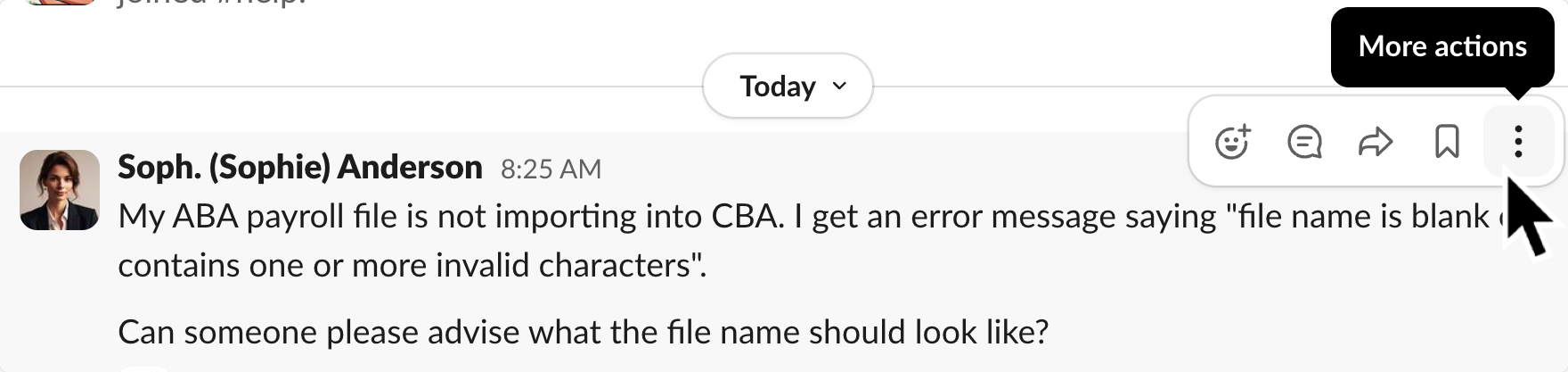
**Desktop**: Hover over the message, and click the three dots icon `⋮`.
 **Mobile**: Tap and hold the message
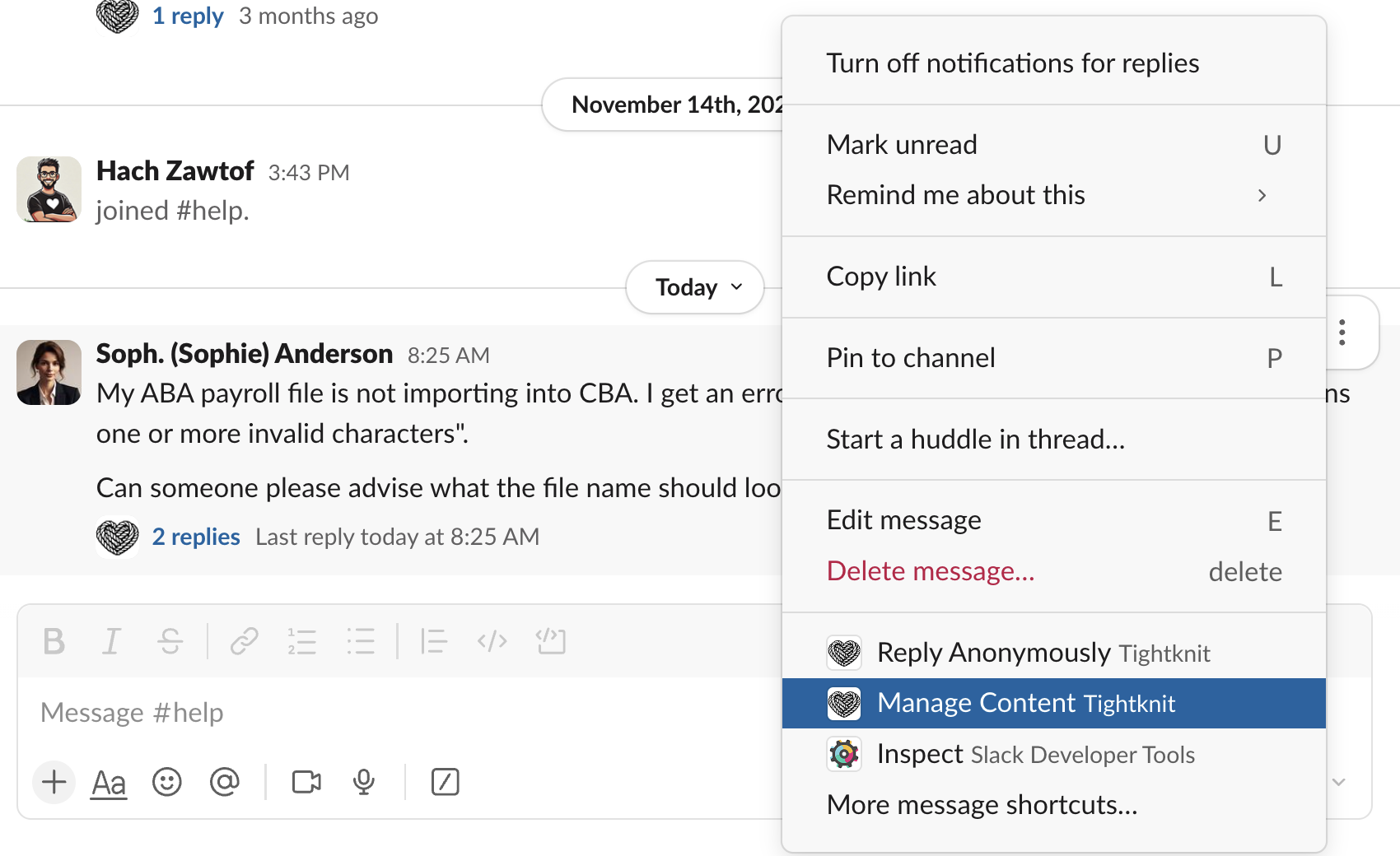
The app shortcuts will be at the bottom of the menu. Find the options that have the Tightknit name and logo.
**Mobile**: Tap and hold the message
The app shortcuts will be at the bottom of the menu. Find the options that have the Tightknit name and logo.
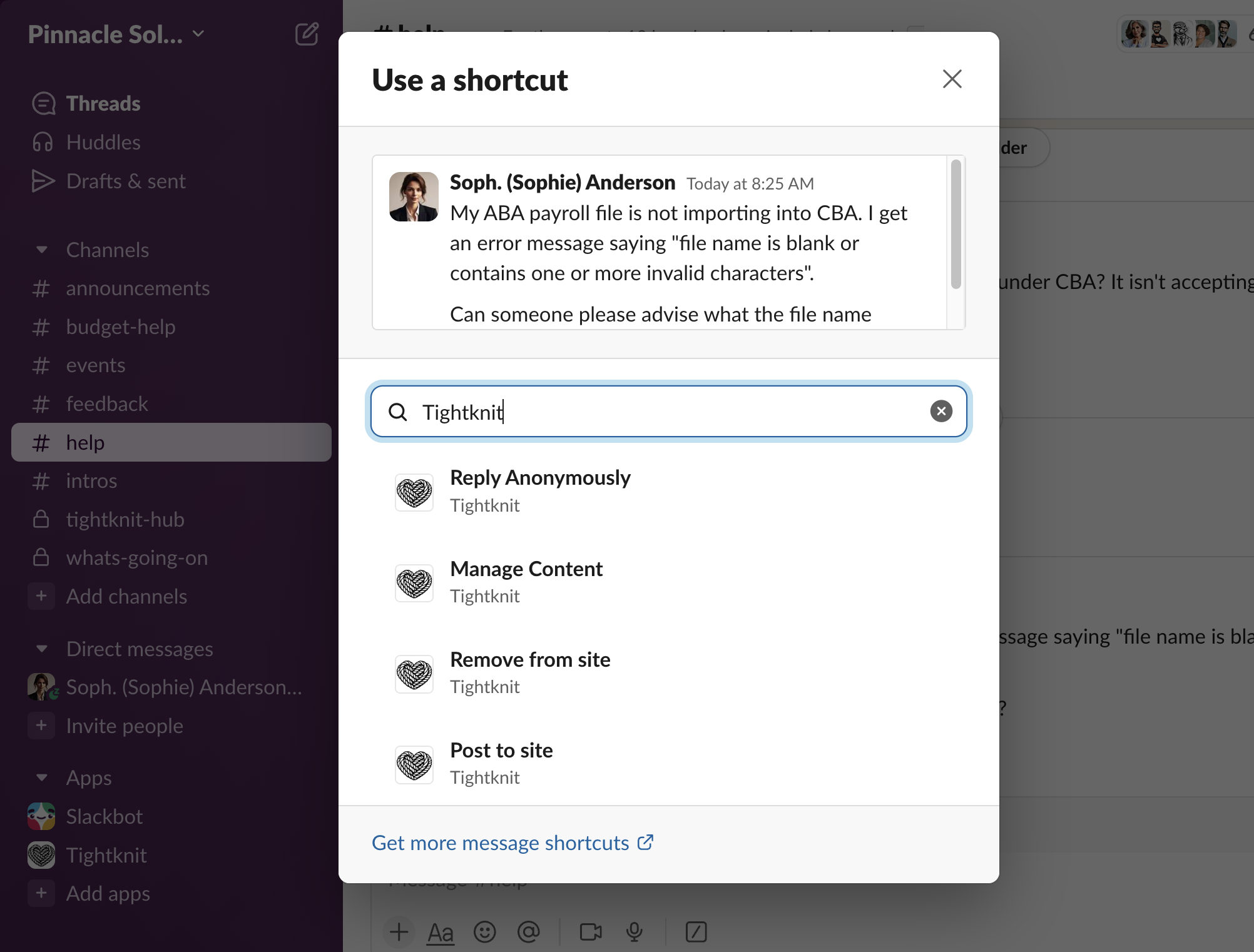
 If you don't see any Tightknit options, click `More message shortcuts...` and then search for "Tightknit" or the [name of the shortcut](#tightknit-shortcuts).
 You cannot use shortcuts on ephemeral messages.
## Tightknit Shortcuts
| **Name** | **Description** | **Where can I use it?** | **Who can use it?** |
| :----------------------------------------- | :------------------------------------------------------------------------------------------------------------------------------------------------------------------------------------------------------------------------------------------------------------------------------------------------------------------------------------------------------------ | :---------------------------------------------------------------------------------------------------------------------------------------------- | :------------------------------------------------------------------------------------------------------------ |
| Post to site | Syncs a message to the Tightknit community site.
You cannot use shortcuts on ephemeral messages.
## Tightknit Shortcuts
| **Name** | **Description** | **Where can I use it?** | **Who can use it?** |
| :----------------------------------------- | :------------------------------------------------------------------------------------------------------------------------------------------------------------------------------------------------------------------------------------------------------------------------------------------------------------------------------------------------------------ | :---------------------------------------------------------------------------------------------------------------------------------------------- | :------------------------------------------------------------------------------------------------------------ |
| Post to site | Syncs a message to the Tightknit community site.
When used on a **top-level message**, syncs the entire thread including the post, any comments, file attachments, emojis, etc.
When used on a **reply**, syncs that comment to the site (if the parent post is already published).
Has no effect on already synced content. | Slack message (Post or Reply) | Admin |
| [Manage Content](#manage-content-shortcut) | Multi-purpose [menu](#manage-content-shortcut) for managing Tightknit content associated with the Slack message. | Slack message | *Dependent on the content* |
| Reply Anonymously | Sends an anonymous reply to a thread. | Any Slack message in a channel with [anonymous messages enabled](/member-engagement/anonymous-posting#enabling-channels-for-anonymous-messages) | All users |
| Admin Experimental | Launches a menu of actions for an admin user to run a localized test. These actions are often a chance for admins to test out new Tightknit features in private, such as using AI to find related discussions. The results will only be visible to you. | Any Slack message in a channel with Tightknit | Admin, the Event creator, or an Event host with the [permission](/community/permission-sets) to manage events |
### Manage Content Shortcut
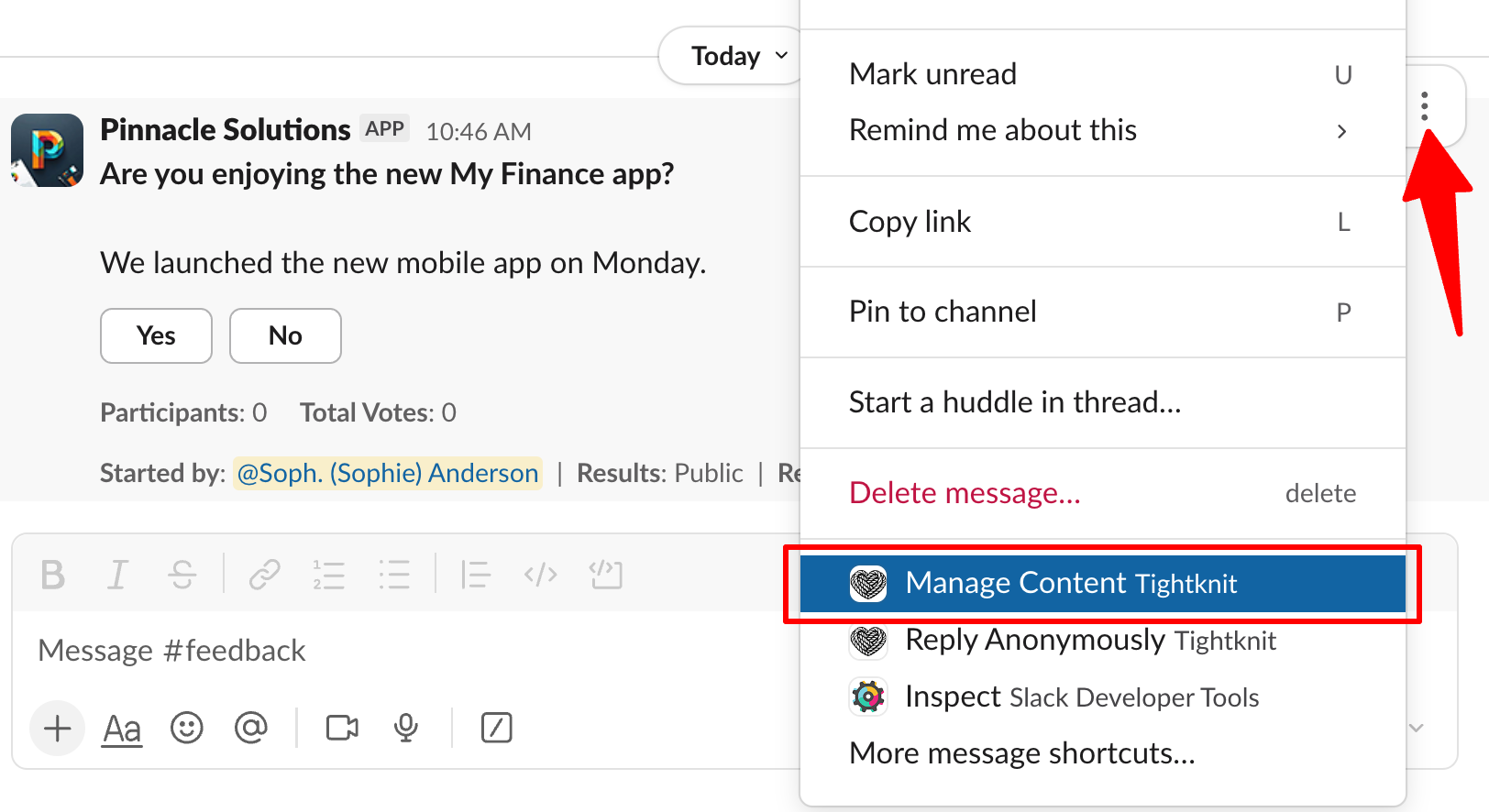
The `Manage Shortcut` menu is a context-dependent menu that provides different actions based on the type of content associated with the Slack message.
 | **Content Type** | **Actions** | **Who can use it?** |
| :--------------------------- | :--------------------------------------------------------------------------------------------------------------------------------------------------------------------------------------------------------------------- | :---------------------------------- |
| Post | • Sync thread to the site
| **Content Type** | **Actions** | **Who can use it?** |
| :--------------------------- | :--------------------------------------------------------------------------------------------------------------------------------------------------------------------------------------------------------------------- | :---------------------------------- |
| Post | • Sync thread to the site
• Remove thread from site
• Edit post title and slug Modifying the slug will change the URL for the post and break any existing links or bookmarks to the page. | Admin, or the author of the post |
| Comment | • Sync thread to the site
• Publish comment to site
• Remove comment from site
• Remove thread from site
• Edit post title and slug | Admin, or the author of the comment |
| Event (announcement message) | • Opens the [Edit Event](/events/manage-events) modal | Admin, or owner of the event |
| Poll | • Edit the poll
• Close the poll
• Delete the poll
| Admin, or owner of the poll |
## Related topics
- [Create a Post or Comment](/slack/posts-and-comments/create-post-or-comment.md)
- [Known Issues](/support/known-issues.md)
- [Delete a Post or Comment](/slack/posts-and-comments/delete-post-or-comment.md)
- [Edit a Post or Comment](/slack/posts-and-comments/edit-post-or-comment.md)
- [Anonymous Posting](/member-engagement/anonymous-posting.md)