> ## Documentation Index
> Fetch the complete documentation index at: https://docs.tightknit.ai/llms.txt
> Use this file to discover all available pages before exploring further.
# Profile Settings
> Learn how to configure user profile global settings.
In the `Profile Settings` modal, you can configure global settings related to user profiles on the community site, including:
* **Profile Name Display** - Control how your users' names are displayed on the community site
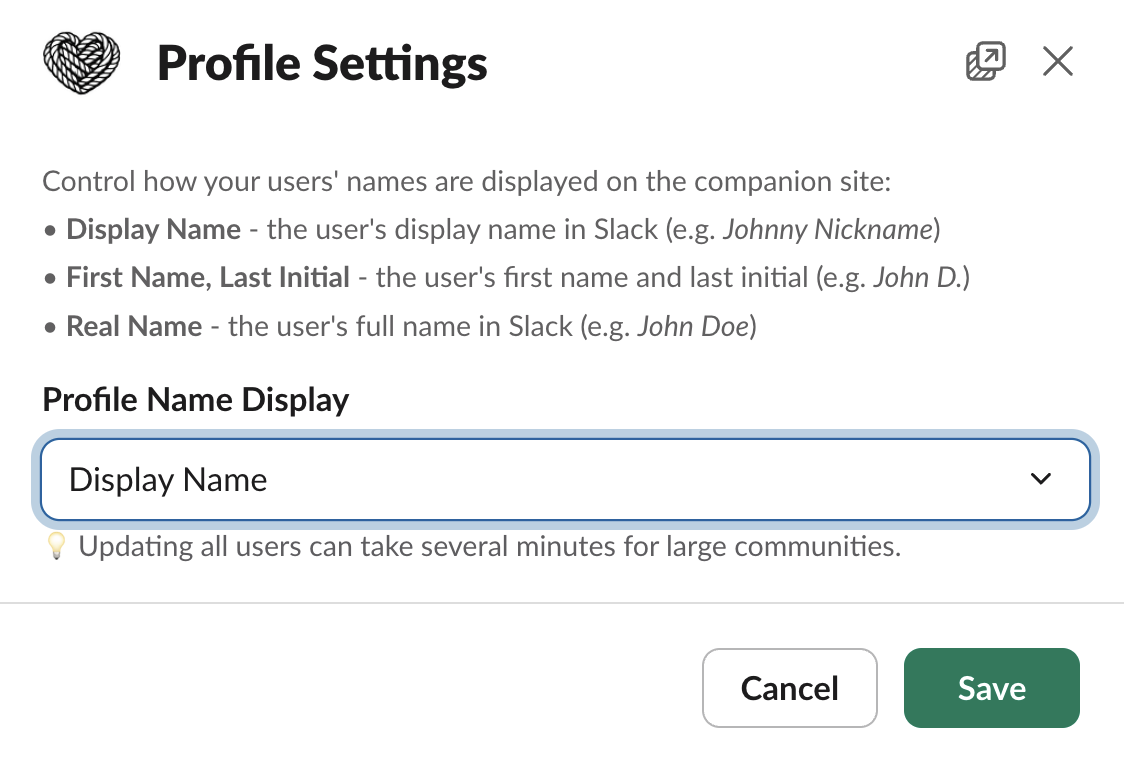 ## Profile Name Display
* Display Name - the user's display name in Slack (e.g. Johnny Nickname)
## Profile Name Display
* Display Name - the user's display name in Slack (e.g. Johnny Nickname)
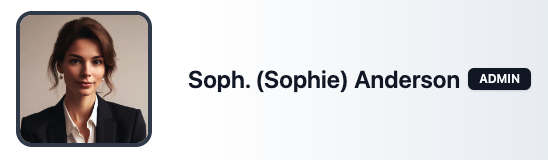 * First Name, Last Initial - the user's first name and last initial in Slack (e.g. John D.)
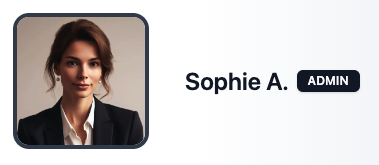 * Real Name - the user's full name in Slack (e.g. John Doe)
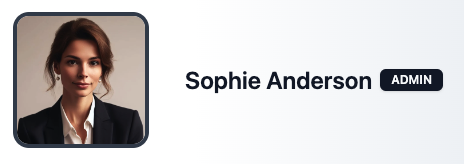 Generally speaking, if the user has not set that particular name field (e.g., they have no Display Name in Slack), then the community site mirrors Slack behavior. The display name falls back to the user's real name.
Updating all the display name for all users can take several minutes for large
communities.
## Related topics
- [Member Profile](/profiles/profile-fields.md)
- [Blocked Bot Profiles](/profiles/blocked-bots.md)
- [Awards](/gamification/awards.md)
- [Manage Member Profiles](/profiles/manage-profiles.md)
- [Slack Sync Guide](/slack/sync-guide.md)
Generally speaking, if the user has not set that particular name field (e.g., they have no Display Name in Slack), then the community site mirrors Slack behavior. The display name falls back to the user's real name.
Updating all the display name for all users can take several minutes for large
communities.
## Related topics
- [Member Profile](/profiles/profile-fields.md)
- [Blocked Bot Profiles](/profiles/blocked-bots.md)
- [Awards](/gamification/awards.md)
- [Manage Member Profiles](/profiles/manage-profiles.md)
- [Slack Sync Guide](/slack/sync-guide.md)