> ## Documentation Index
> Fetch the complete documentation index at: https://docs.tightknit.ai/llms.txt
> Use this file to discover all available pages before exploring further.
# Anonymous Posting
> Enable anonymous messaging in your Slack channels to encourage open communication.
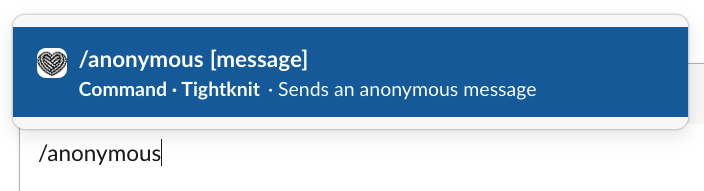
Let your members send anonymous messages in specified channels. In the chat or search bar, any user can type the `/anonymous` command to get started. You may optionally include a message after the command, such as `/anonymous Your message goes here`, and then press Enter.
Tightknit does NOT store or expose the author's identity anywhere.
 ## Sending an anonymous message
Members may only send anonymous messages within Slack channels that have
anonymous posting enabled.
Users can type the `/anonymous` command into the chat to access the **Anonymous Message** panel, which allows them to format and send their message to any channel with anonymous posting enabled.
## Sending an anonymous message
Members may only send anonymous messages within Slack channels that have
anonymous posting enabled.
Users can type the `/anonymous` command into the chat to access the **Anonymous Message** panel, which allows them to format and send their message to any channel with anonymous posting enabled.
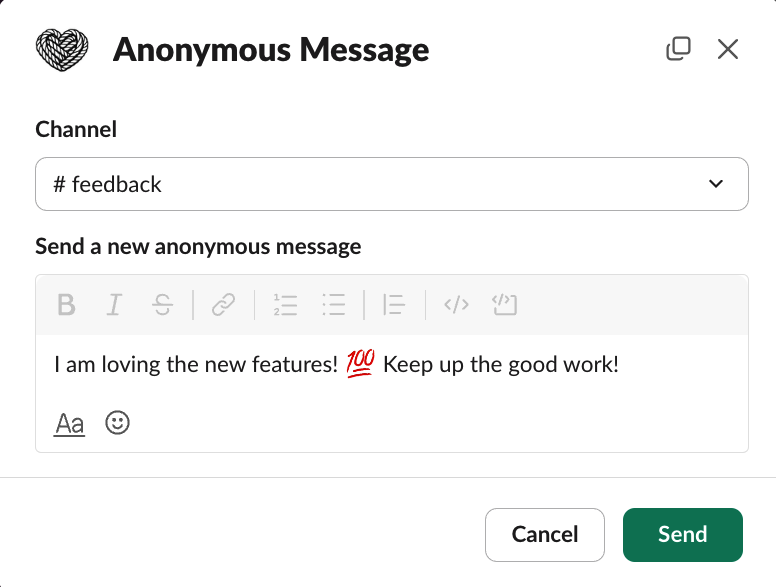 The resulting message will be posted in the channel as the Tightknit app in "anonymous" mode.
 ## Sending an anonymous reply
Members may only send anonymous replies within Slack channels that have
anonymous posting enabled.
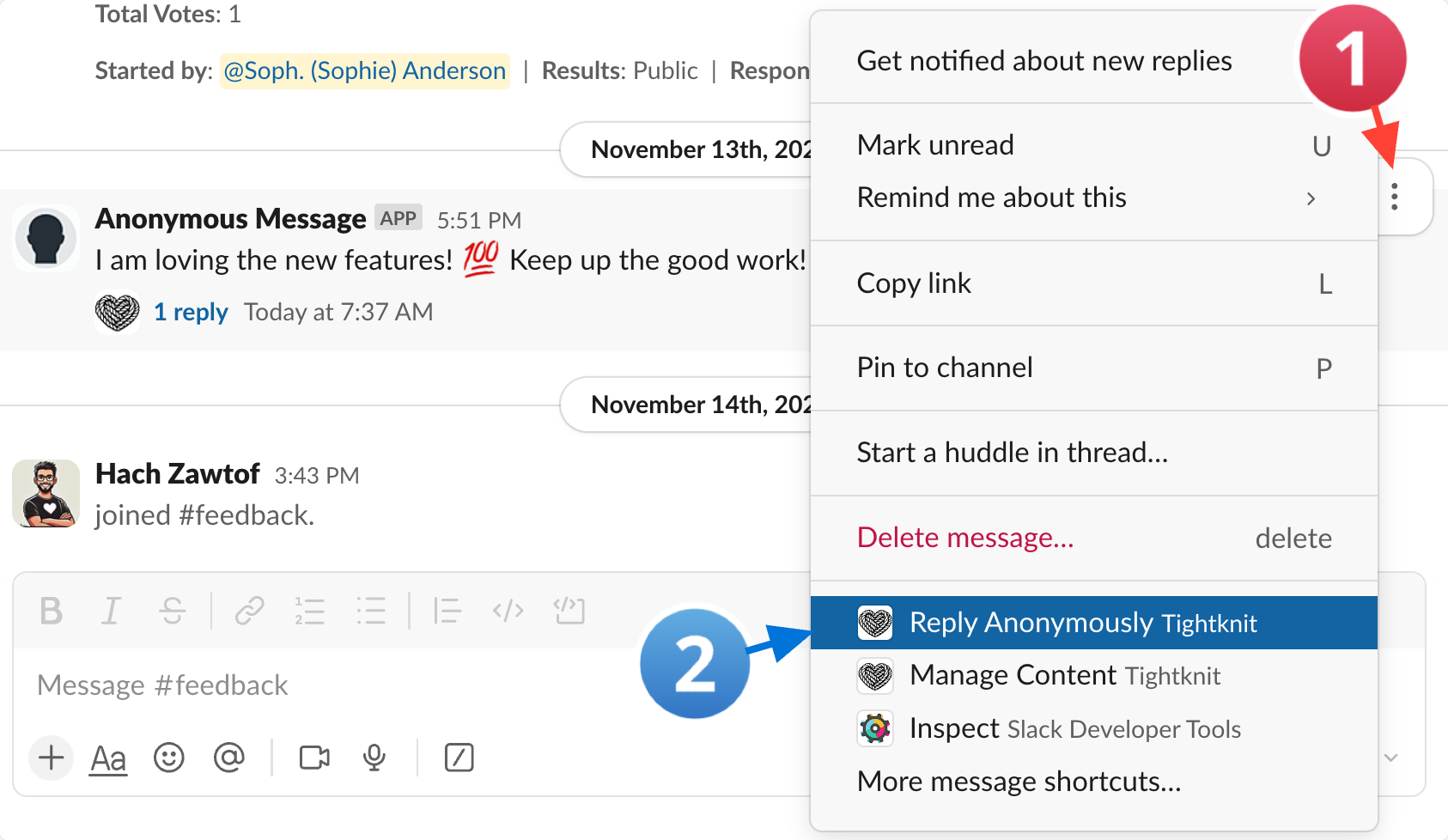
Users can add an anonymous reply to a thread by using the **Reply Anonymously** [message shortcut](/slack/shortcuts-and-commands/message-shortcuts#tightknit-shortcuts). You can find this shortcut by clicking on the `⠇` menu of the top-level message and selecting the **Reply Anonymously** option.
## Sending an anonymous reply
Members may only send anonymous replies within Slack channels that have
anonymous posting enabled.
Users can add an anonymous reply to a thread by using the **Reply Anonymously** [message shortcut](/slack/shortcuts-and-commands/message-shortcuts#tightknit-shortcuts). You can find this shortcut by clicking on the `⠇` menu of the top-level message and selecting the **Reply Anonymously** option.
 ## Enabling channels for anonymous messages
To enable anonymous posting in a Slack channel, see [Configuring Channel Engagement Settings](/channels-and-feeds/engagement-settings). Anonymous Posting is disabled for channels by default.
## Enabling channels for anonymous messages
To enable anonymous posting in a Slack channel, see [Configuring Channel Engagement Settings](/channels-and-feeds/engagement-settings). Anonymous Posting is disabled for channels by default.