> ## Documentation Index
> Fetch the complete documentation index at: https://docs.tightknit.ai/llms.txt
> Use this file to discover all available pages before exploring further.
# Luma
> Embed Luma event registration directly into your Tightknit community site.
Tightknit integrates with [Luma](https://lu.ma/) to provide a seamless event registration experience on your community site. When you link a Luma event to a Tightknit event, visitors can register directly from your event page without being redirected away.
## How It Works
When you provide a Luma URL (e.g., `https://lu.ma/event/evt-XYZ123` or `https://luma.com/event/evt-XYZ123`) as the **Event Link** for a Tightknit event, Tightknit automatically detects it and enables an embedded checkout experience on your community site's event page.
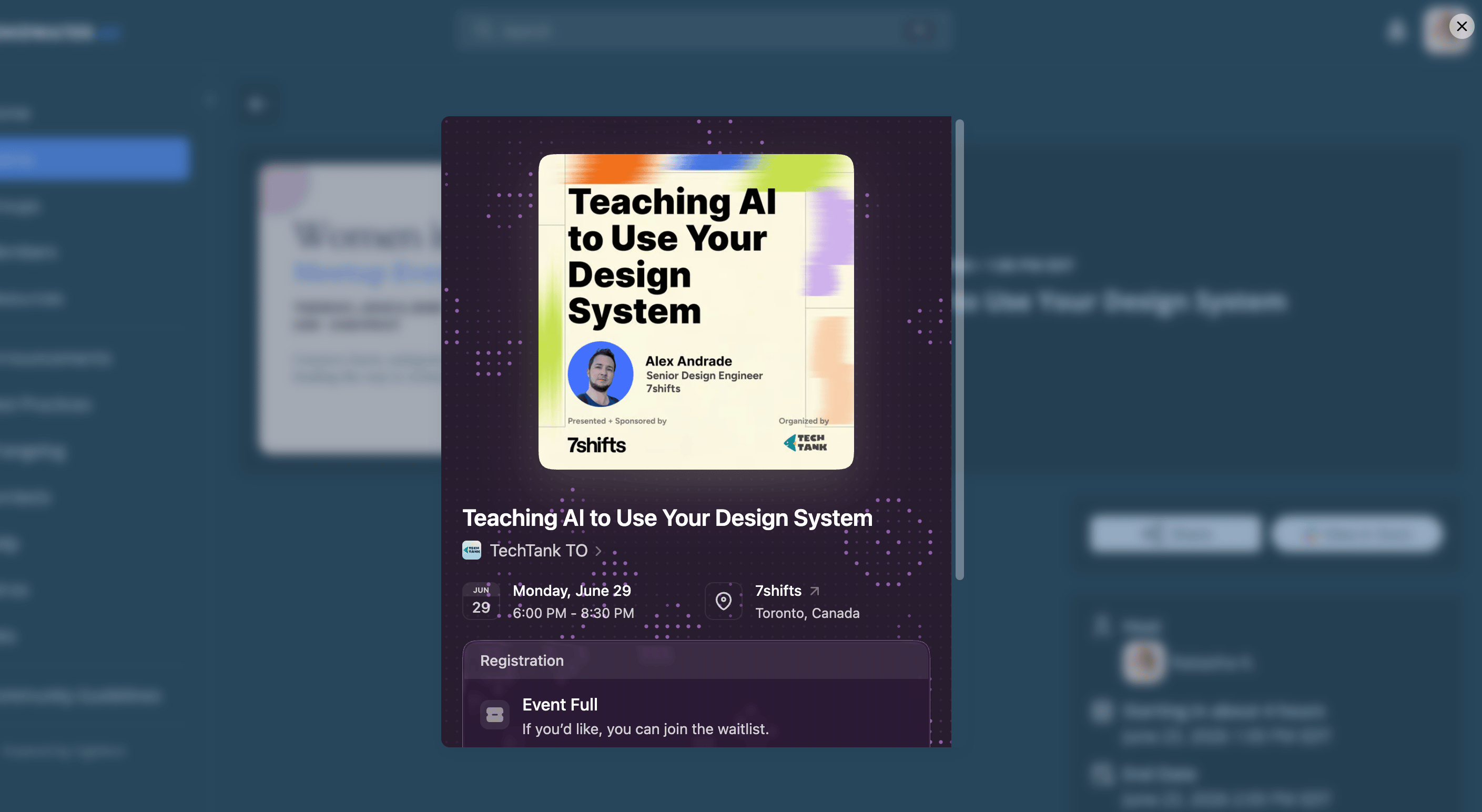
Instead of navigating away to Luma, visitors see a **Register** button that opens the Luma checkout flow inline, keeping them on your site while completing registration through Luma.
## Setup
No separate configuration or authentication is required. The integration activates automatically based on the event link you provide.
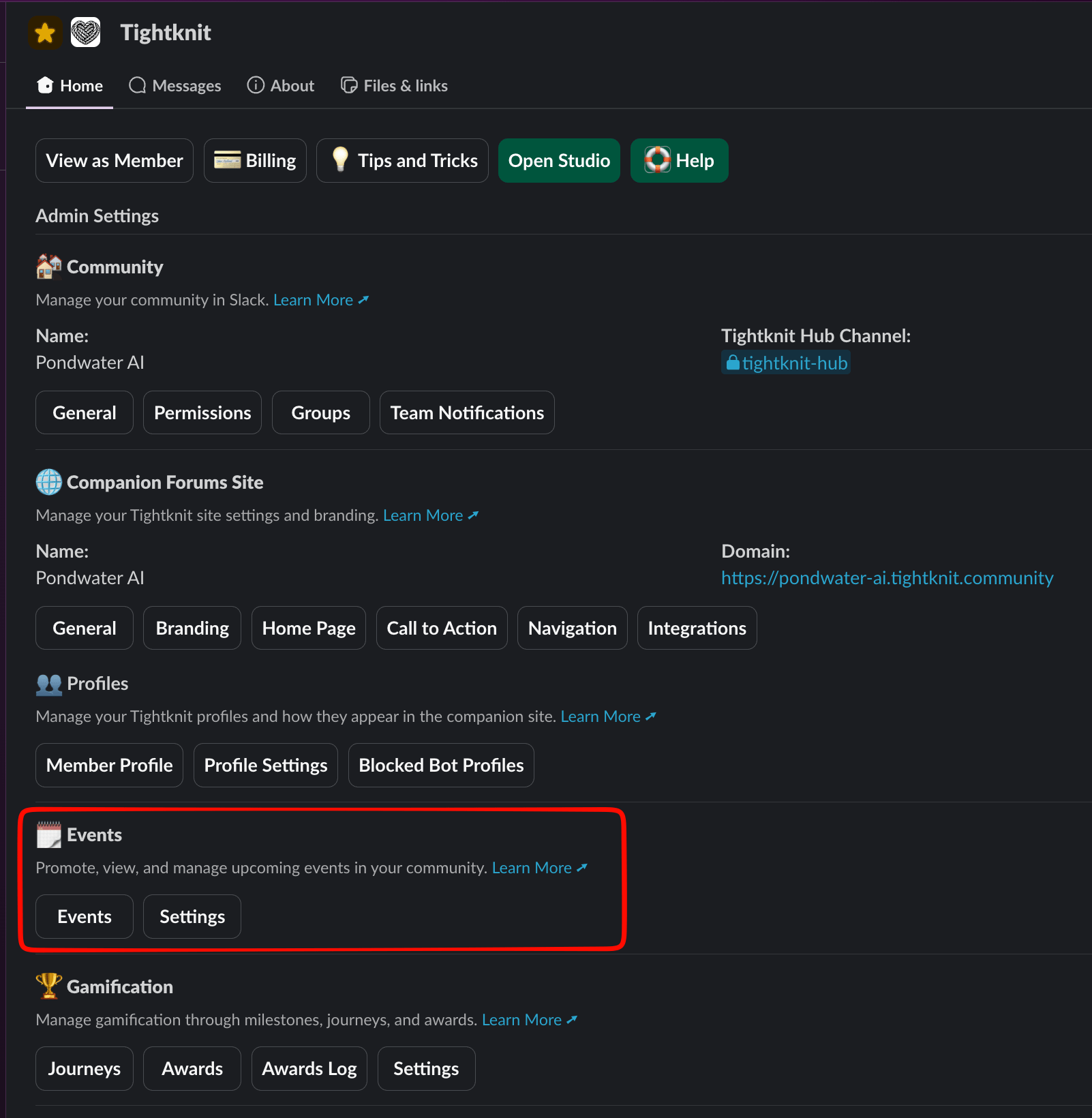
Use the `/events` command in Slack, or open the **Events** section from the Tightknit app's **Home** tab, to manage your events. Create a new event or edit an existing one.
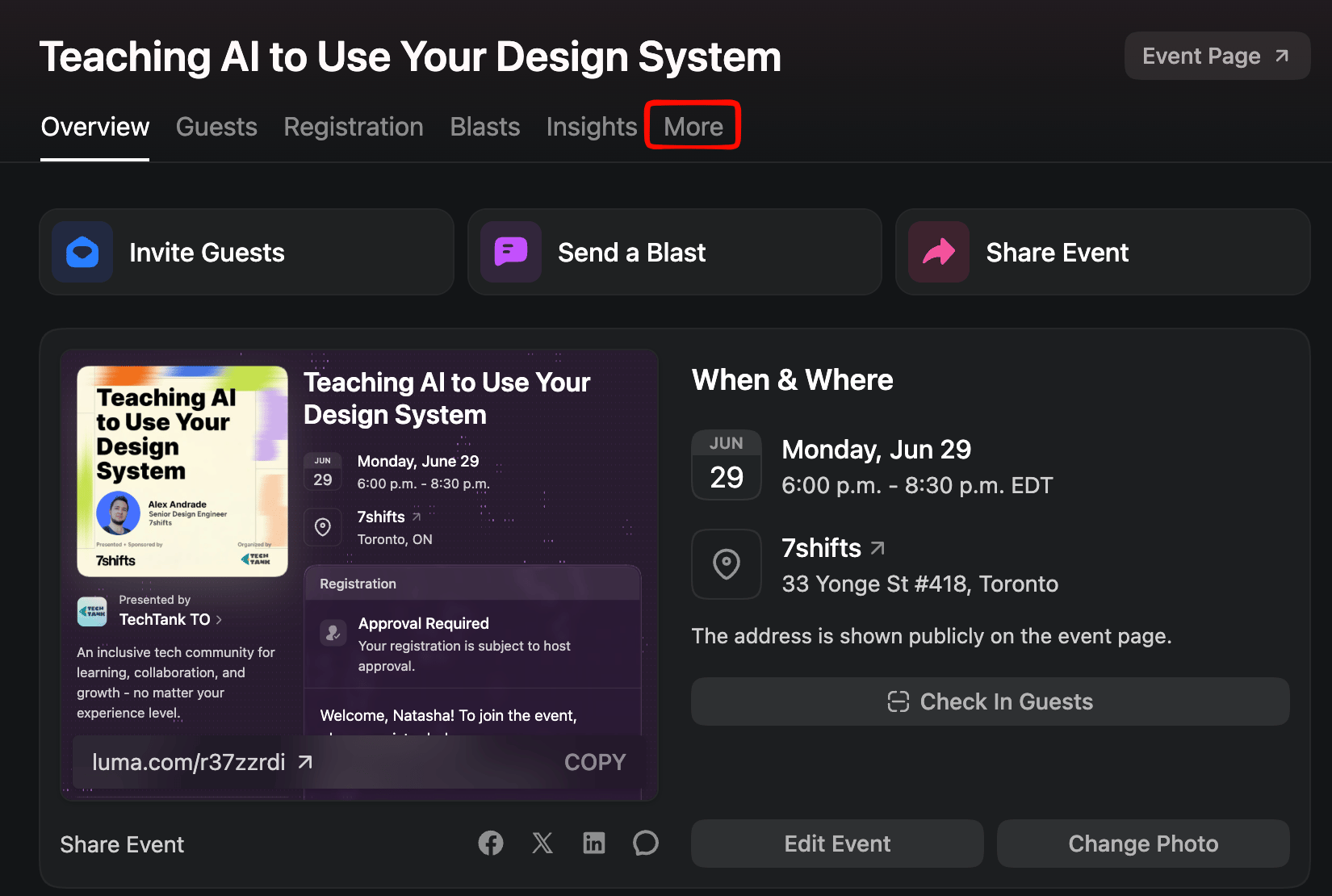
 You need the full Luma event URL, which includes the `evt-` event ID. To find it, open your event in Luma and go to the **More** tab.
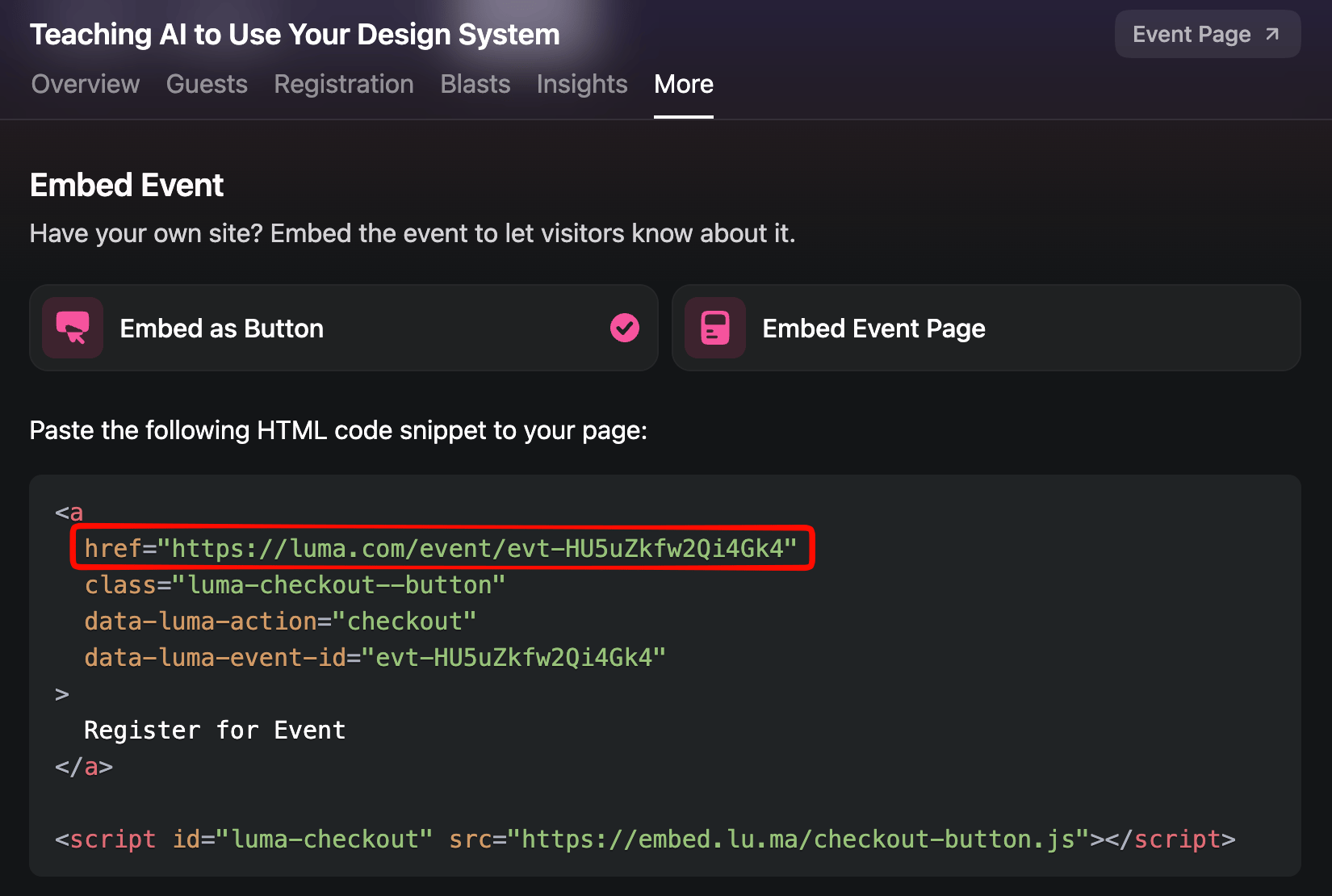
 Copy the event URL from the `href` in the generated HTML snippet.
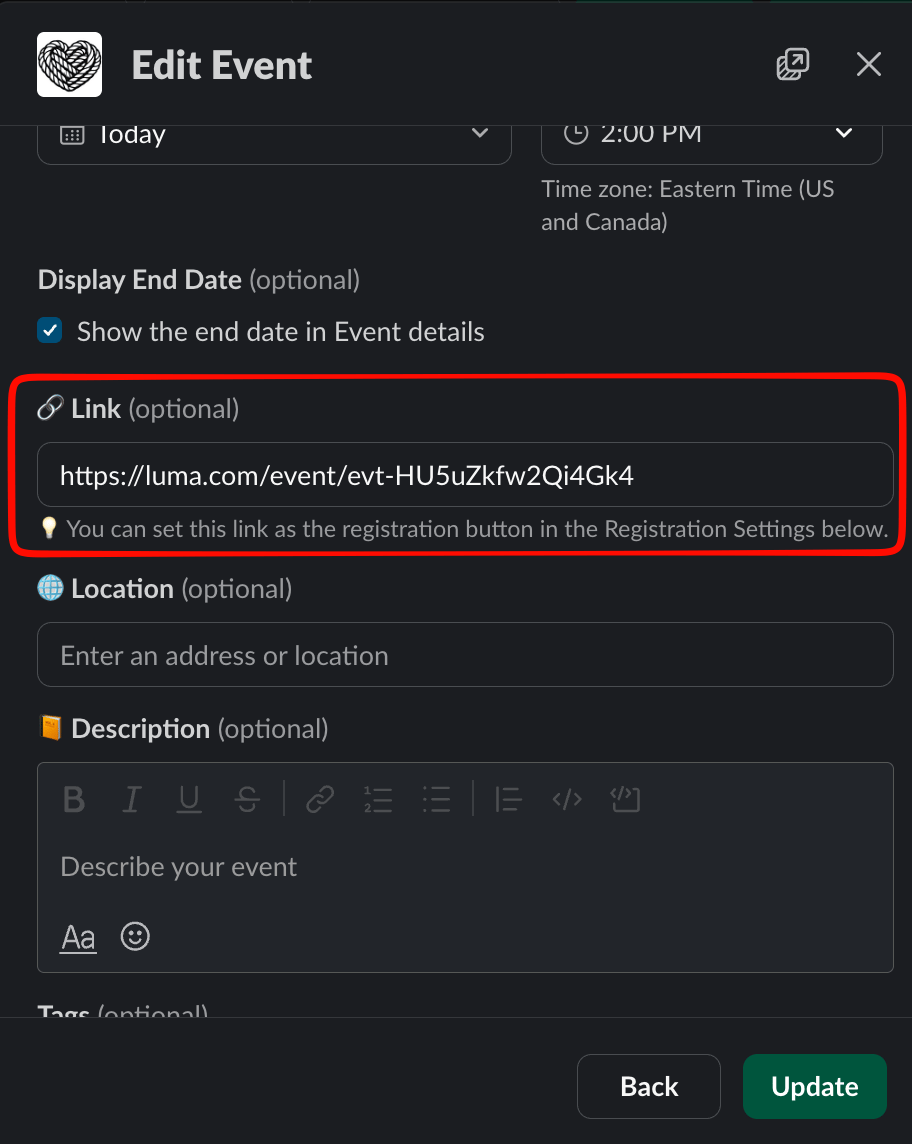
 Back in the Tightknit event editor, paste the URL into the **Link** field.
 The URL must include the full event path with the `evt-` identifier (e.g., `https://lu.ma/event/evt-XYZ123` or `https://luma.com/event/evt-XYZ123`). Both `lu.ma` and `luma.com` domains are supported. Short or vanity Luma URLs like `https://lu.ma/my-event` are not supported.
In the Publish Settings, enable **Publish to community site**. Once published, the event page on your community site displays a **Register** button that opens the Luma checkout inline — visitors complete registration without leaving your site.
The URL must include the full event path with the `evt-` identifier (e.g., `https://lu.ma/event/evt-XYZ123` or `https://luma.com/event/evt-XYZ123`). Both `lu.ma` and `luma.com` domains are supported. Short or vanity Luma URLs like `https://lu.ma/my-event` are not supported.
In the Publish Settings, enable **Publish to community site**. Once published, the event page on your community site displays a **Register** button that opens the Luma checkout inline — visitors complete registration without leaving your site.
 This integration works alongside all other Tightknit event features, including event announcements in Slack, event reminders, and the events list on your community site.
Learn more about creating and publishing events in Tightknit.
## Related topics
- [Create a New Event](/events/create-event.md)
- [Event Registration](/events/event-registration.md)
- [Triggered when a calendar event is published](/api-reference/webhooks/triggered-when-a-calendar-event-is-published.md)
- [Triggered when a calendar event ends](/api-reference/webhooks/triggered-when-a-calendar-event-ends.md)
- [Create calendar event](/api-reference/calendar-events/create-calendar-event.md)
This integration works alongside all other Tightknit event features, including event announcements in Slack, event reminders, and the events list on your community site.
Learn more about creating and publishing events in Tightknit.
## Related topics
- [Create a New Event](/events/create-event.md)
- [Event Registration](/events/event-registration.md)
- [Triggered when a calendar event is published](/api-reference/webhooks/triggered-when-a-calendar-event-is-published.md)
- [Triggered when a calendar event ends](/api-reference/webhooks/triggered-when-a-calendar-event-ends.md)
- [Create calendar event](/api-reference/calendar-events/create-calendar-event.md)