> ## Documentation Index
> Fetch the complete documentation index at: https://docs.tightknit.ai/llms.txt
> Use this file to discover all available pages before exploring further.
# Event Recaps & Recordings
> Add post-event recaps and recordings to share with your community.
When an event completes, admins will be presented with an option to add a recap and recording. This option will also be present in the item menu for any past event in the Events List panel.
## Adding a Recap
Once an event has passed, Tightknit will send a private notification to the event creator as a reminder to add a recap. You will be able to add an event recap in the Events List panel.
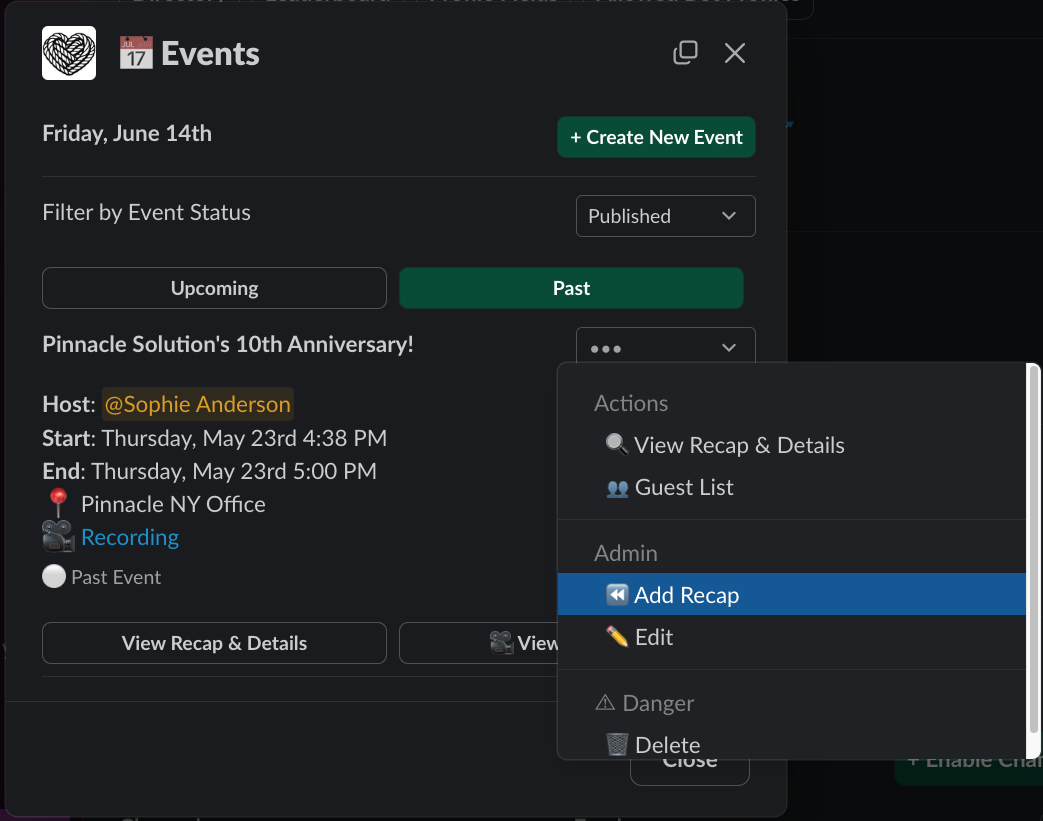 In the Events List panel, find your event under **Past** events, and select the `⏪ Add Recap` option from the dropdown menu.
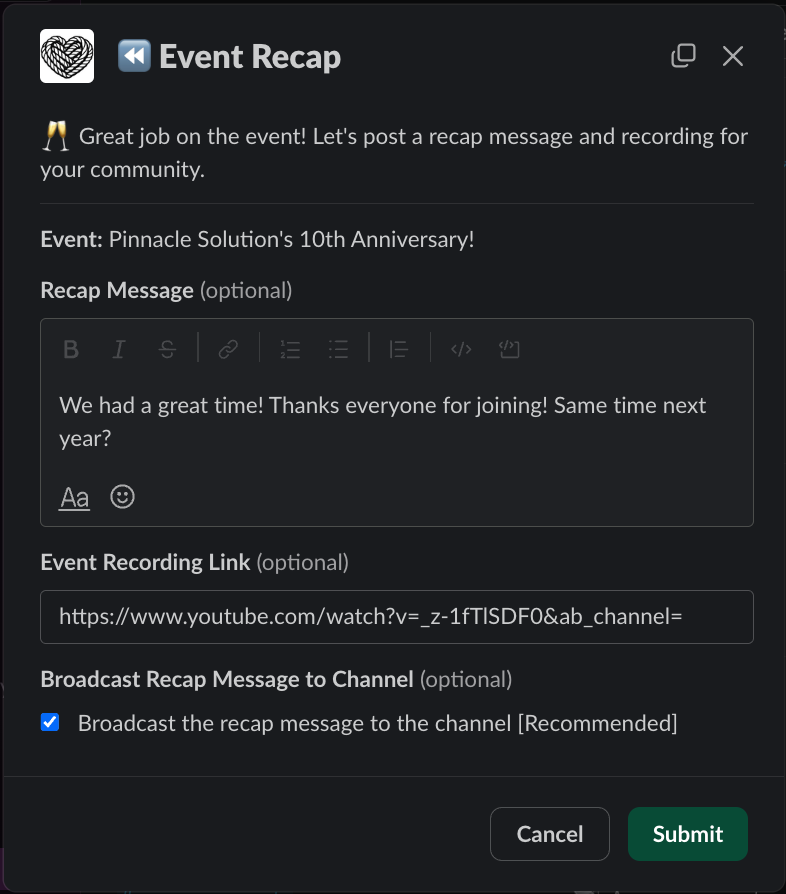 In the Event Recap panel, you will be able to configure:
* **Recap Message** - the body of the recap message
* **Event Recording Link** - a link to a video recording of the event
* **Broadcast Recap Message to Channel** - whether the broadcast message is additionally broadcasted as a new message to the entire channel (*see [Recap Structure](#recap-structure)*)
Recaps are added to all of the channels the event was originally published to. You may return to this panel to update your recap as needed. If all inputs are left blank, the recap message(s) will be deleted.
## Recap Structure in Slack
When you add a recap to an event, it is added as a reply on the original event announcement Slack message. This is helpful for users following the announcement thread. You may optionally choose to broadcast the recap message to the entire channel so that all its users will see the recap update.
The image below is an example of a broadcasted recap added to the `Pinnacle Solution's 10th Anniversary!` event:
In the Event Recap panel, you will be able to configure:
* **Recap Message** - the body of the recap message
* **Event Recording Link** - a link to a video recording of the event
* **Broadcast Recap Message to Channel** - whether the broadcast message is additionally broadcasted as a new message to the entire channel (*see [Recap Structure](#recap-structure)*)
Recaps are added to all of the channels the event was originally published to. You may return to this panel to update your recap as needed. If all inputs are left blank, the recap message(s) will be deleted.
## Recap Structure in Slack
When you add a recap to an event, it is added as a reply on the original event announcement Slack message. This is helpful for users following the announcement thread. You may optionally choose to broadcast the recap message to the entire channel so that all its users will see the recap update.
The image below is an example of a broadcasted recap added to the `Pinnacle Solution's 10th Anniversary!` event:
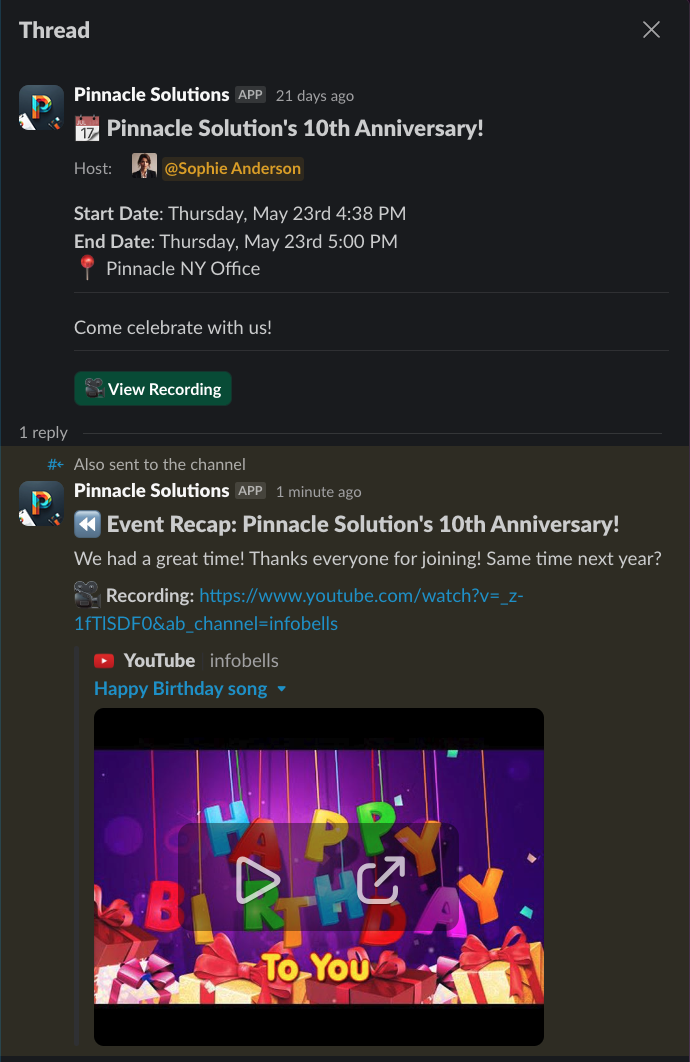 Tightknit will also remove any registration-related buttons and add a `View Recording` button (if a recording link is provided).
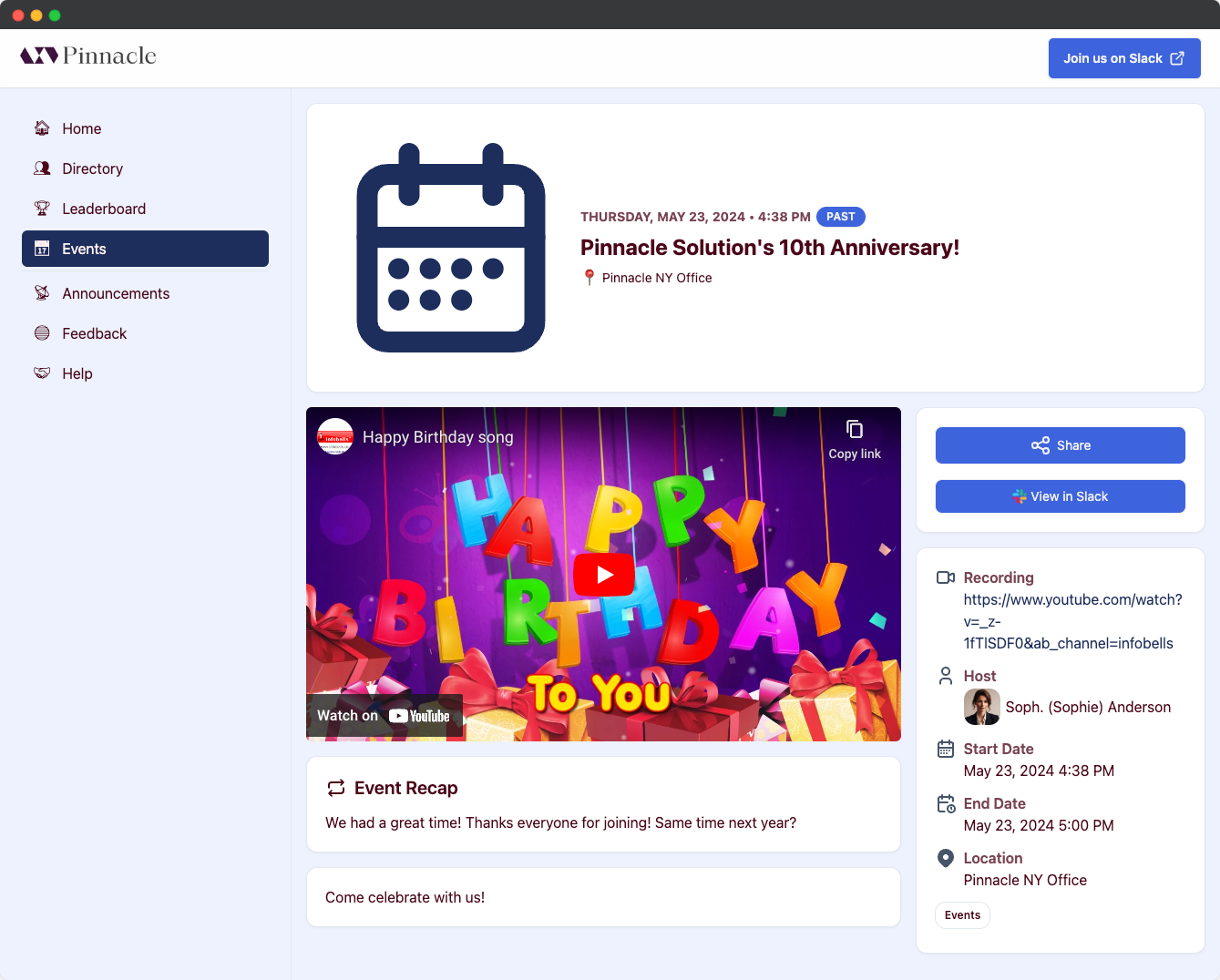
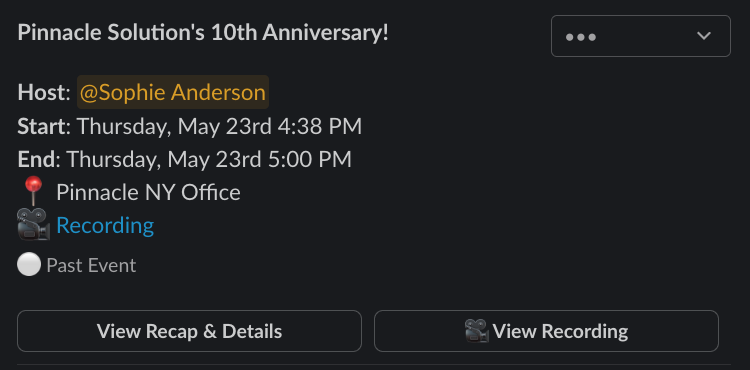 ## Recap Structure on Community Site
If your event is configured to publish to the community site, the recap and recording will be included as well.
## Recap Structure on Community Site
If your event is configured to publish to the community site, the recap and recording will be included as well.
 ## Related topics
- [Pages](/community-site/pages.md)
- [Getting Started](/events/getting-started.md)
- [Create calendar event](/api-reference/calendar-events/create-calendar-event.md)
- [Retrieve calendar event](/api-reference/calendar-events/retrieve-calendar-event.md)
## Related topics
- [Pages](/community-site/pages.md)
- [Getting Started](/events/getting-started.md)
- [Create calendar event](/api-reference/calendar-events/create-calendar-event.md)
- [Retrieve calendar event](/api-reference/calendar-events/retrieve-calendar-event.md)