> ## Documentation Index
> Fetch the complete documentation index at: https://docs.tightknit.ai/llms.txt
> Use this file to discover all available pages before exploring further.
# Engagement Settings
> Manage the Engagement features for a Slack channel.
## Accessing Settings
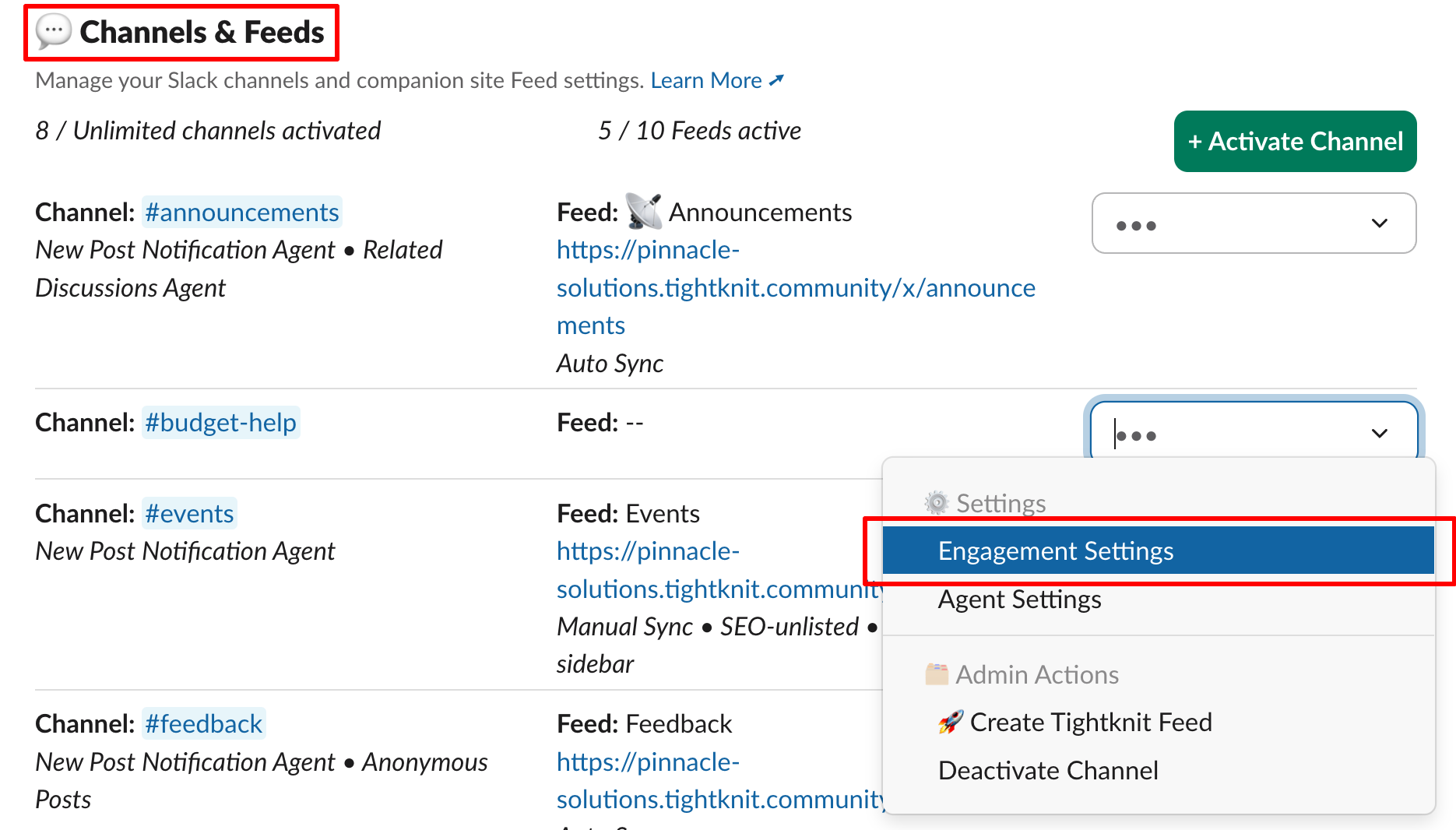
To access the Agent settings for a channel, select the `Engagement Settings` option in the dropdown menu of the channel settings.
 ## Features
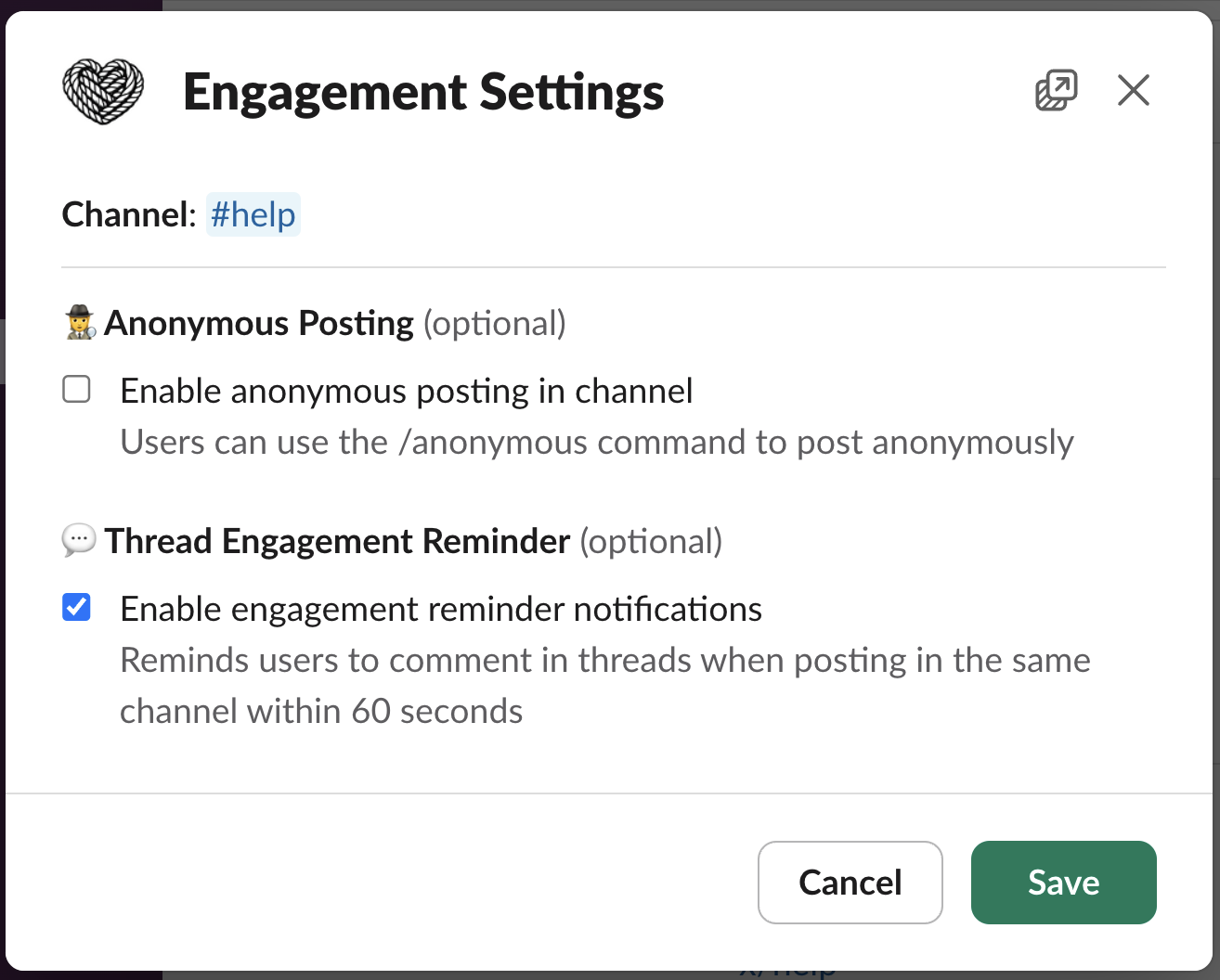
The following Engagement features are available for each channel:
* [Anonymous Posting](/member-engagement/anonymous-posting)
* [Thread Responder](/member-engagement/thread-responder)
## Features
The following Engagement features are available for each channel:
* [Anonymous Posting](/member-engagement/anonymous-posting)
* [Thread Responder](/member-engagement/thread-responder)
 ## Related topics
- [Thread Engagement Reminder](/member-engagement/thread-responder.md)
- [Anonymous Posting](/member-engagement/anonymous-posting.md)
- [Polls](/member-engagement/polls.md)
- [New Member Onboarding](/member-engagement/onboarding.md)
- [Guides](/guides/index.md)
## Related topics
- [Thread Engagement Reminder](/member-engagement/thread-responder.md)
- [Anonymous Posting](/member-engagement/anonymous-posting.md)
- [Polls](/member-engagement/polls.md)
- [New Member Onboarding](/member-engagement/onboarding.md)
- [Guides](/guides/index.md)