> ## Documentation Index
> Fetch the complete documentation index at: https://docs.tightknit.ai/llms.txt
> Use this file to discover all available pages before exploring further.
# Agent Settings
> Manage the Agents for a Slack channel.
## Accessing Settings
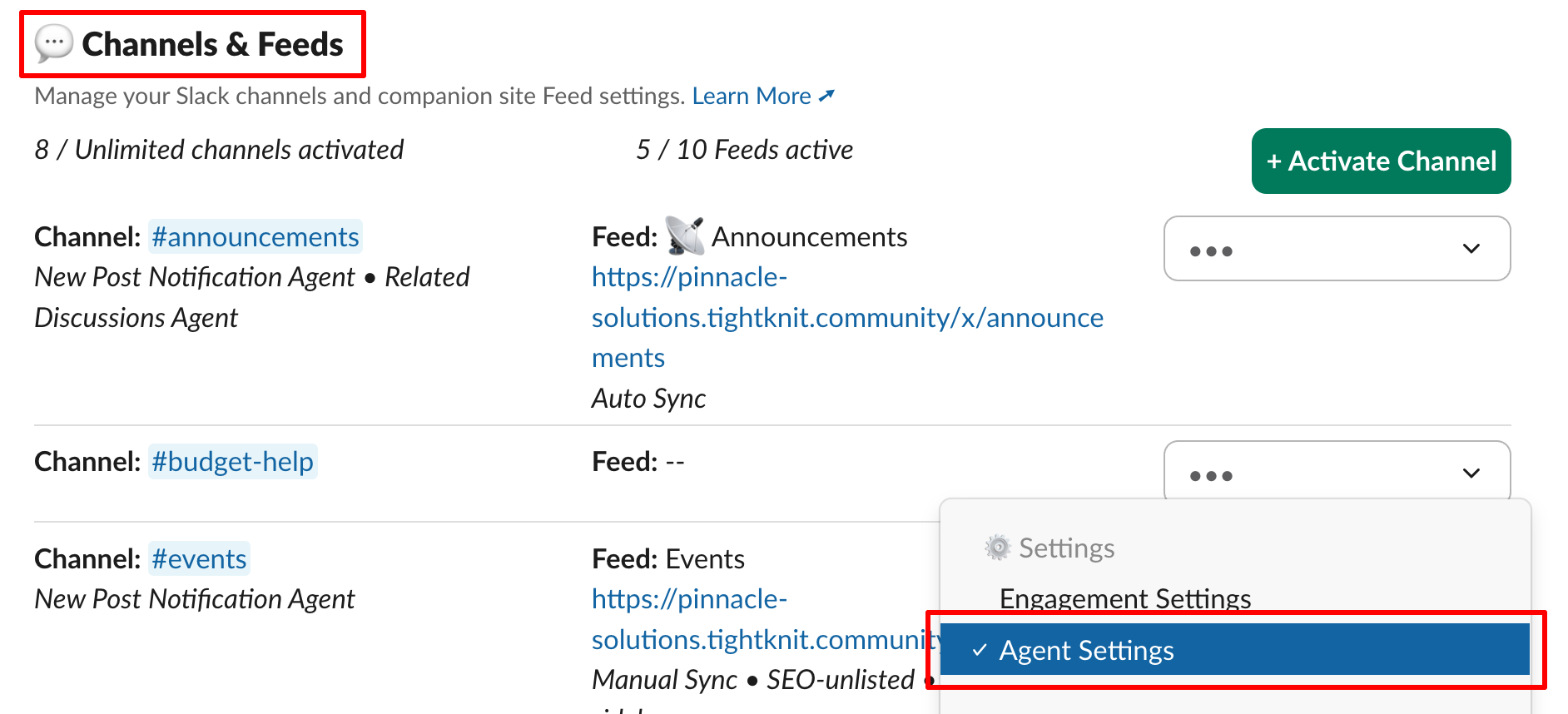
To access the Agent settings for a channel, select the `Agent Settings` option in the dropdown menu of the channel settings.
 ## Agents
The following Agents are available for each channel:
* New Post Notification Agent
* Related Discussions Agent \[✨AI]
* AI Answers Agent \[✨AI] (*coming soon!*)
### New Post Notification Agent
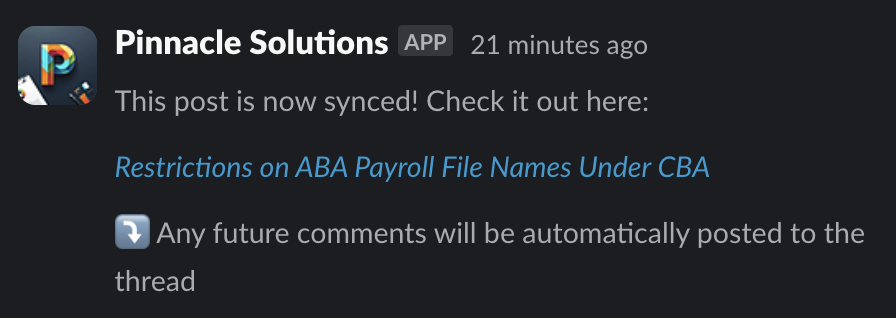
When a message is synced to the Companion Site as a post, the **New Post Notification Agent** adds a reply to the thread with a link to the post and a reminder that all further replies are synced to the site.
## Agents
The following Agents are available for each channel:
* New Post Notification Agent
* Related Discussions Agent \[✨AI]
* AI Answers Agent \[✨AI] (*coming soon!*)
### New Post Notification Agent
When a message is synced to the Companion Site as a post, the **New Post Notification Agent** adds a reply to the thread with a link to the post and a reminder that all further replies are synced to the site.
 ### Related Discussions Agent
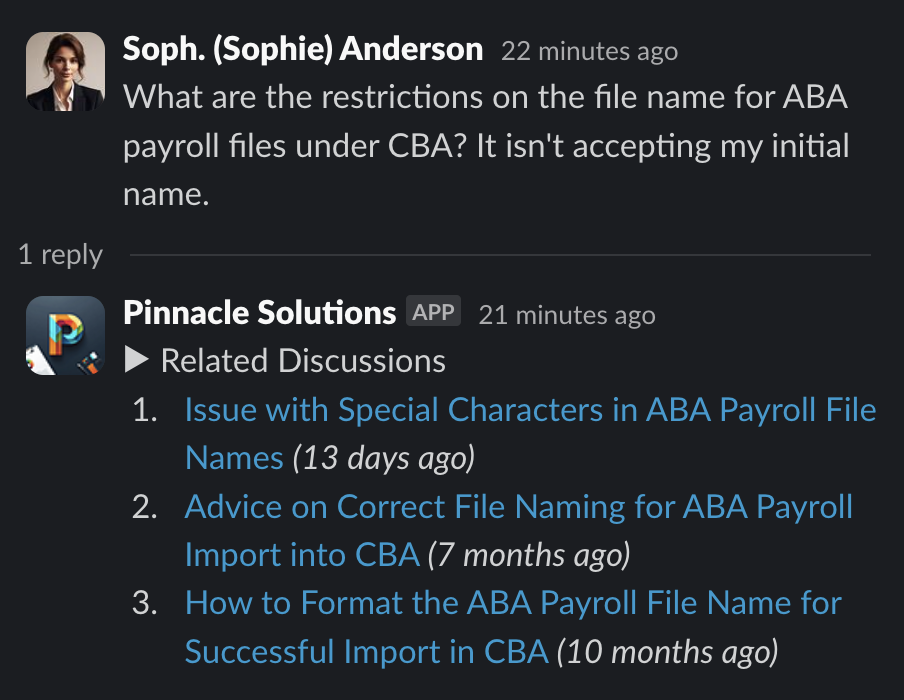
Each time a message is sent, our Tightknit AI finds other related messages within the same channel, and the **Related Discussions Agent** replies with links to the discussions. At this time, the agent only returns results if the community has an active Companion Site and the message has an associated post on the site.
You can customize the text of the message sent by the agent that precedes the results. In the example below, the preface text is "*▶︎ Related Discussions*".
### Related Discussions Agent
Each time a message is sent, our Tightknit AI finds other related messages within the same channel, and the **Related Discussions Agent** replies with links to the discussions. At this time, the agent only returns results if the community has an active Companion Site and the message has an associated post on the site.
You can customize the text of the message sent by the agent that precedes the results. In the example below, the preface text is "*▶︎ Related Discussions*".
 ## Related topics
- [Engagement Settings](/channels-and-feeds/engagement-settings.md)
- [Delete a Post or Comment](/slack/posts-and-comments/delete-post-or-comment.md)
- [Create a Post or Comment](/slack/posts-and-comments/create-post-or-comment.md)
- [Known Issues](/support/known-issues.md)
- [CLI & MCP Server](/integrations/cli.md)
## Related topics
- [Engagement Settings](/channels-and-feeds/engagement-settings.md)
- [Delete a Post or Comment](/slack/posts-and-comments/delete-post-or-comment.md)
- [Create a Post or Comment](/slack/posts-and-comments/create-post-or-comment.md)
- [Known Issues](/support/known-issues.md)
- [CLI & MCP Server](/integrations/cli.md)